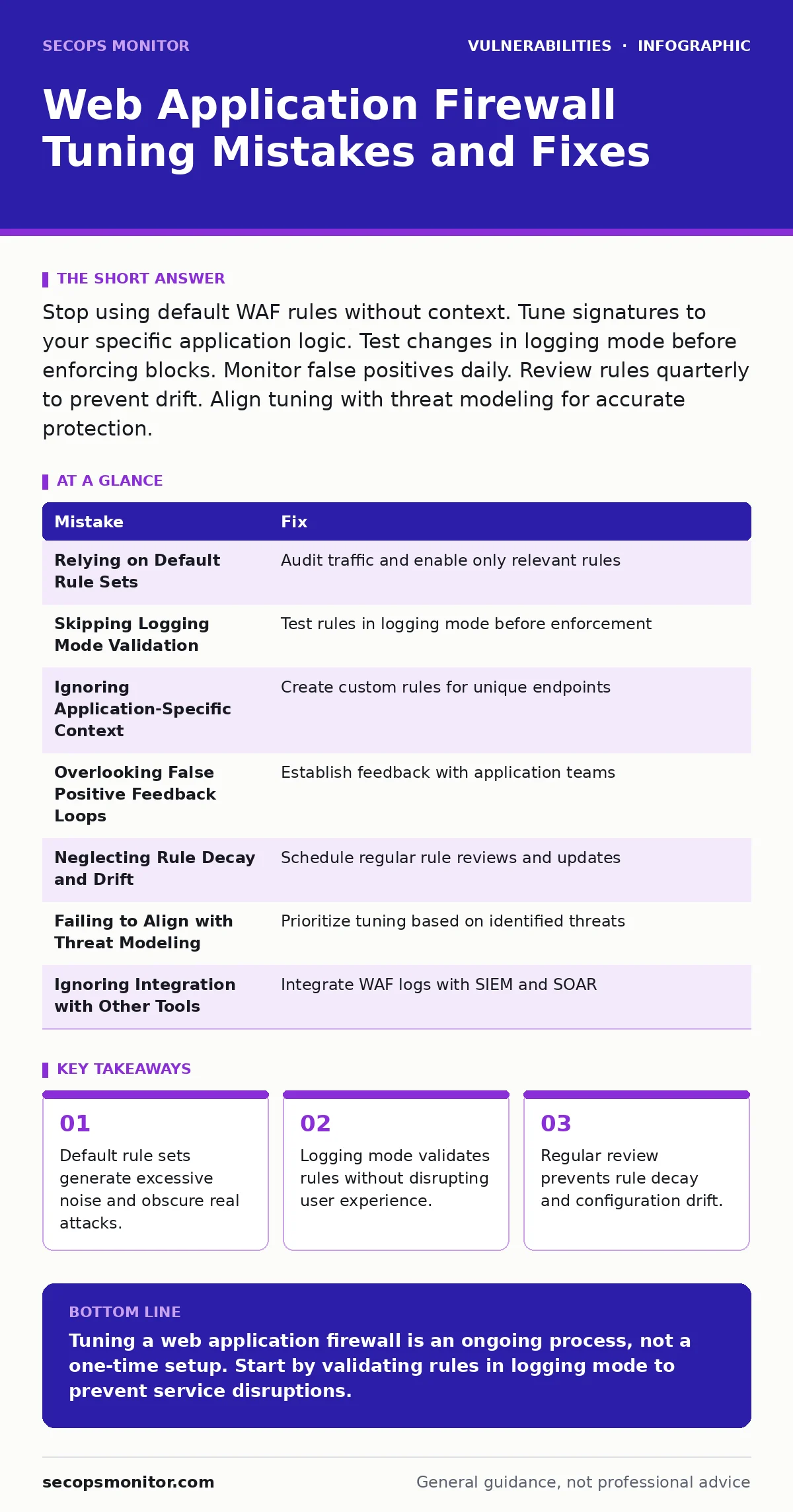
Stop using default WAF rules without context. Tune signatures to your specific application logic. Test changes in logging mode before enforcing blocks. Monitor false positives daily. Review rules quarterly to prevent drift. Align tuning with threat modeling for accurate protection.
Web application firewalls provide a critical layer of defense against common web exploits. Default configurations often fail to protect your specific environment. Misconfiguration leads to either blocked legitimate users or undetected intrusions. Proper tuning requires understanding your application’s unique traffic patterns. This process reduces false positives and improves detection accuracy.
Mistake 1: Relying on Default Rule Sets
Default rule sets cover generic patterns found in many applications. They do not account for your specific data formats or business logic. Using them out of the box creates a high noise environment. Your security team spends hours reviewing benign alerts instead of real threats.
Why it hurts:
Default rules trigger on common HTTP verbs and standard query parameters. This generates thousands of false positives daily. Analyst fatigue sets in quickly. Real attacks hide within the noise of legitimate traffic. You miss subtle exploits because you ignore the alert flood.
The fix:
Audit your application traffic first. Identify unique patterns in your API calls and forms. Disable rules that do not apply to your stack. Enable only those relevant to your technology. This reduces noise and highlights genuine anomalies.
Mistake 2: Skipping Logging Mode Validation
Enforcing blocking rules immediately is risky. You do not know if a rule matches legitimate user actions. Blocking a valid request causes service outages. Users experience errors when submitting forms or accessing features. This damages trust and revenue.
Why it hurts:
Immediate enforcement lacks context. A rule blocking a specific string might catch a valid username or product code. The application breaks for real users. Support tickets surge. Engineers waste time debugging WAF issues instead of fixing code.
The fix:
Deploy new rules in logging mode first. Let them run for a defined period. Review the logs for false positives. Adjust the rule logic to exclude legitimate traffic. Only enable blocking after validation confirms accuracy.
Mistake 3: Ignoring Application-Specific Context
Generic rules look for common attack signatures. They do not understand your application’s state. An attacker might use valid syntax to exploit a logic flaw. The WAF sees normal traffic and allows it through. This is a blind spot for generic protections.
Why it hurts:
Attackers adapt to bypass generic signatures. They use encoded payloads or split requests. The WAF fails to detect these variations. Your application remains vulnerable to sophisticated attacks. You rely on the WAF for protection it cannot provide.
The fix:
Integrate WAF tuning with your development lifecycle. Understand how your application handles input. Create custom rules for unique endpoints. Use threat modeling to identify likely attack vectors. This ensures coverage for your specific risks.
Mistake 4: Overlooking False Positive Feedback Loops
False positives erode confidence in the WAF. Teams begin to ignore alerts entirely. This creates a false sense of security. Real attacks go unnoticed because the system is ignored. The WAF becomes a摆设 rather than a tool.
Why it hurts:
Ignoring alerts stops the learning process. You miss patterns that indicate new attack methods. The tuning process stalls. Rules remain static while threats evolve. Your defense becomes outdated quickly.
The fix:
Establish a feedback loop with application teams. Report blocked requests to developers. Verify if they are legitimate. Adjust rules based on their input. This collaboration improves accuracy over time.
Mistake 5: Neglecting Rule Decay and Drift
Applications change over time. New features are added. Old endpoints are removed. WAF rules written years ago may no longer apply. They block new functionality or miss new vulnerabilities. This drift reduces effectiveness.
Why it hurts:
Stale rules cause unnecessary blocks. They also leave gaps in coverage. New attack vectors emerge that old rules do not catch. Your security posture degrades silently. You assume protection exists where none does.
The fix:
Schedule regular rule reviews. Compare active rules against current application features. Remove obsolete rules. Update existing rules to match new logic. Document changes for audit purposes.
Mistake 6: Failing to Align with Threat Modeling
Tuning in isolation ignores broader risks. You might focus on SQL injection while ignoring other vectors. A holistic view is necessary for effective defense. Threat modeling identifies likely attack paths. This guides your tuning priorities.
Why it hurts:
Without threat modeling, you protect against unlikely scenarios. You miss high-probability attacks. Resources are wasted on low-risk areas. Critical vulnerabilities remain unaddressed. Your defense is misaligned with actual threats.
The fix:
Use threat modeling to prioritize tuning efforts. Identify high-value assets and likely attacks. Focus WAF rules on these areas. This ensures efficient use of resources. It also improves overall security posture.
Mistake 7: Ignoring Integration with Other Security Tools
The WAF does not operate in a vacuum. It should share data with SIEM and SOAR platforms. Isolated tuning misses broader context. Correlating WAF logs with other sources reveals patterns. This improves detection and response.
Why it hurts:
Isolated WAF data is limited. You miss connections between different attack stages. Response times increase. Investigations become harder. The full picture of an incident remains unclear.
The fix:
Integrate WAF logs with your security information system. Set up automated alerts for high-severity events. Use correlation rules to link WAF data with other sources. This provides a complete view of threats.
| Mistake | Fix |
|---|---|
| Relying on Default Rule Sets | Audit traffic and enable only relevant rules |
| Skipping Logging Mode Validation | Test rules in logging mode before enforcement |
| Ignoring Application-Specific Context | Create custom rules for unique endpoints |
| Overlooking False Positive Feedback Loops | Establish feedback with application teams |
| Neglecting Rule Decay and Drift | Schedule regular rule reviews and updates |
| Failing to Align with Threat Modeling | Prioritize tuning based on identified threats |
| Ignoring Integration with Other Tools | Integrate WAF logs with SIEM and SOAR |
Key takeaways
- Default rule sets generate excessive noise and obscure real attacks.
- Logging mode validates rules without disrupting user experience.
- Regular review prevents rule decay and configuration drift.
Tuning a web application firewall is an ongoing process, not a one-time setup. Start by validating rules in logging mode to prevent service disruptions.
Frequently asked questions
How often should I review WAF rules?
Review rules quarterly or after major application updates. This ensures they remain relevant and effective.
What is the first step in WAF tuning?
Audit your application traffic to identify unique patterns. This helps you disable irrelevant default rules.
Can WAF tuning cause downtime?
Yes, if rules are enforced without testing. Always use logging mode to validate rules before blocking traffic.
How do I handle false positives?
Establish a feedback loop with application teams. Verify blocked requests and adjust rules accordingly.
How this guide was produced: written by the SecOps Monitor editorial team with AI assistance, checked against the public references listed below, and reviewed when the facts change. See our editorial policy or report an error.