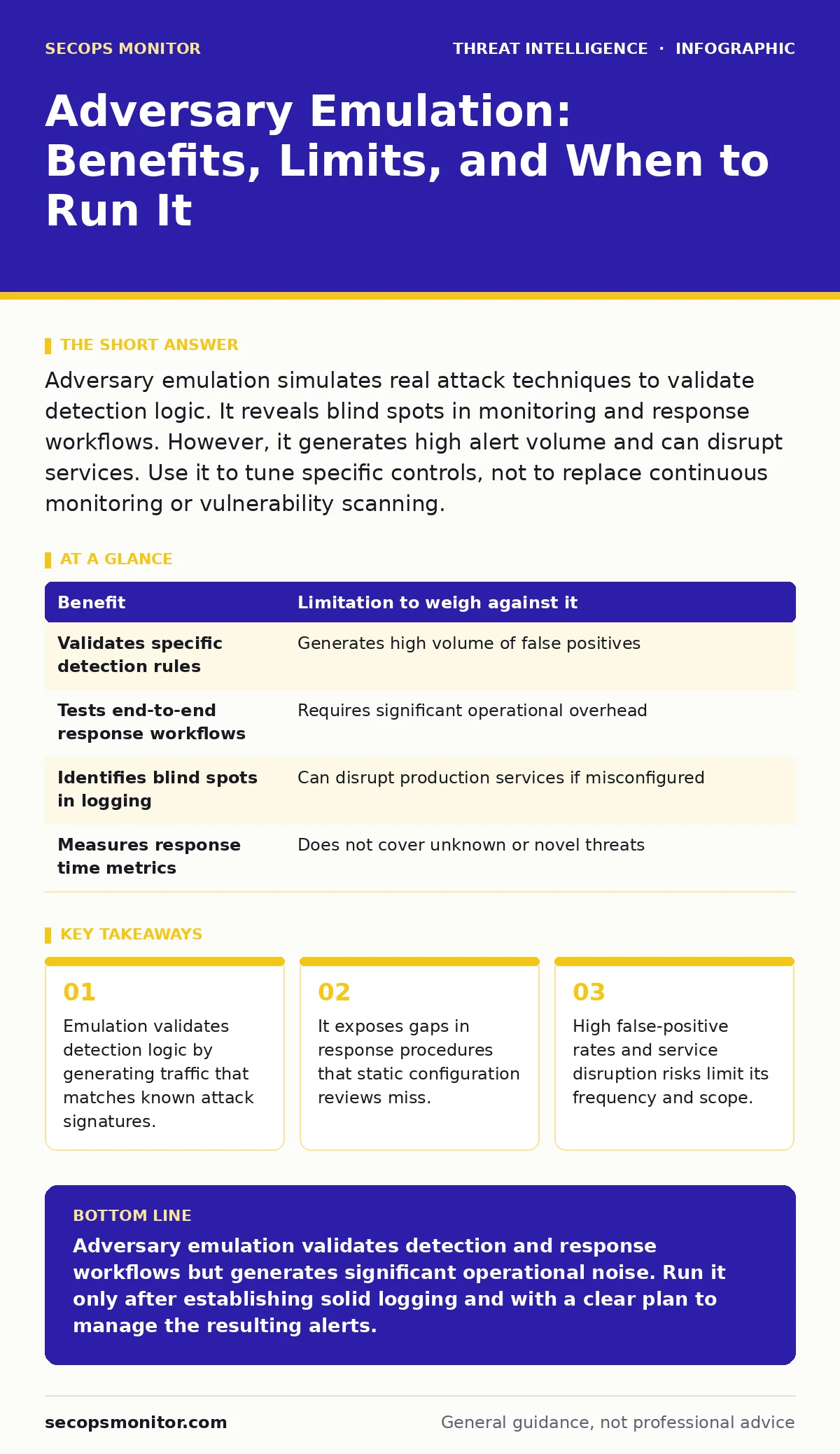
Adversary emulation simulates real attack techniques to validate detection logic. It reveals blind spots in monitoring and response workflows. However, it generates high alert volume and can disrupt services. Use it to tune specific controls, not to replace continuous monitoring or vulnerability scanning.
The Mechanics of Controlled Chaos
Adversary emulation involves executing predefined sequences of actions that mimic real-world attack techniques. These sequences are often based on public frameworks that catalog known adversary behaviors. You are not running malware in the traditional sense. Instead, you are triggering the same system calls, network requests, and registry modifications that an attacker would use.
The goal is to generate telemetry data. You want your security information and event management system to ingest this data and fire an alert. If it does not, you have a gap. If it does, you must verify that the alert is actionable and that the response team knows what to do.
This process differs significantly from penetration testing. A penetration tester seeks to breach a system to prove it is possible. An emulator seeks to trigger a specific detection rule to prove it works. The intent shifts from exploitation to validation.
Validating Detection Logic
The primary benefit of emulation is confirming that your sensors are seeing what they should see. Many organizations deploy detection rules based on theoretical threats. They assume that if the rule is in the system, it is working. Emulation proves or disproves this assumption.
You can test complex multi-stage attacks. A single-stage test might check if a failed login is logged. A multi-stage test checks if a sequence of failed logins followed by a privilege escalation triggers a high-severity alert. This reveals whether your correlation engines are functioning correctly.
This validation extends to data completeness. If the emulator performs an action but the logging agent on that server is misconfigured, the alert will not fire. You discover that the sensor is blind, not that the attacker is invisible. This distinction is vital for remediation efforts.
Exposing Response Workflow Gaps
Detection is only half the battle. The other half is response. Emulation tests the human and procedural elements of your security stack. When an alert fires, does the right person get notified? Is the context clear enough for them to act?
You can measure mean time to detect and mean time to respond. These metrics are abstract on a dashboard. They become concrete when you watch your team scramble to triage an alert that you generated. You see where the handoff between automation and human analysis breaks down.
This process also highlights tooling limitations. Your security orchestration, automation, and response platform might be configured to auto-contain a compromised host. Emulation tests whether that containment actually works or if it blocks legitimate business processes.
The Cost of Noise and Disruption
Emulation is not free. It generates a significant amount of log data. This data consumes storage and processing power. It can also trigger alerts that your team must investigate, even if they know the source. This is known as alert fatigue.
If you run emulation frequently, your team may start ignoring alerts. They learn that many alerts are false positives or known tests. This desensitization makes it harder to spot real incidents. The signal-to-noise ratio drops, reducing the effectiveness of your monitoring.
Service disruption is another risk. Some emulation techniques involve terminating processes, modifying files, or changing network configurations. If these actions occur on a production server, they can cause outages. You must isolate the test environment from critical business functions.
Weighing Benefits Against Limitations
You must balance the value of detection validation against the operational cost. The table below outlines the primary trade-offs.
| Benefit | Limitation to weigh against it |
|---|---|
| Validates specific detection rules | Generates high volume of false positives |
| Tests end-to-end response workflows | Requires significant operational overhead |
| Identifies blind spots in logging | Can disrupt production services if misconfigured |
| Measures response time metrics | Does not cover unknown or novel threats |
The benefit of validation is only useful if the limitation of noise is managed. If the noise overwhelms your team, the benefit is nullified. You must design your emulation program to minimize disruption while maximizing insight.
See also: Diamond Model of Intrusion Analysis: Map Adversaries to Stop Repeat Breaches · Honeypots: 9 FAQs on Deployment, Detection and Data Quality
When It Is Worth It
Emulation is worth it when you have specific, high-value assets to protect. If you run critical infrastructure, the cost of an outage is high. Emulation helps you ensure that your defenses are working before an attacker exploits them.
It is also worth it after significant changes to your environment. If you migrate to a new cloud provider, update your operating systems, or deploy new security tools, the detection landscape changes. Emulation verifies that your new configuration maintains the same level of visibility.
Use it to test new detection logic. Before you deploy a new rule to production, run an emulation against it. This ensures that the rule fires correctly and does not generate excessive noise. It is a quality control step for your detection engineering process.
When It Is Not
Emulation is not worth it if you lack basic logging. If your servers do not send logs to a central repository, emulation will not reveal anything. You must fix your logging infrastructure first. Emulation cannot compensate for missing data.
It is not worth it if you are trying to find all vulnerabilities. Emulation tests detection, not prevention. It will not tell you if your server is missing a patch. Use vulnerability scanning and configuration auditing for that. Emulation is for testing how you respond to an active attack, not how you prevent it.
Avoid emulation if your team is too small to handle the noise. If you have one analyst covering all alerts, adding emulation traffic will overwhelm them. You need the capacity to investigate and close out the alerts generated by the tests.
Managing the Operational Load
To make emulation sustainable, you must automate the cleanup. After the test, the system should revert to its previous state. Files created during the test should be deleted. Logs should be tagged as test data.
You should also limit the frequency of tests. Running emulation daily creates unnecessary noise. Running it monthly or quarterly allows you to validate changes without overwhelming your team. Align the schedule with your change management cycle.
Finally, document the results. Record which rules fired, which did not, and why. Use this data to improve your detection logic and response procedures. Emulation is a feedback loop. The value comes from acting on the insights, not just generating the alerts.
Key takeaways
- Emulation validates detection logic by generating traffic that matches known attack signatures.
- It exposes gaps in response procedures that static configuration reviews miss.
- High false-positive rates and service disruption risks limit its frequency and scope.
Adversary emulation validates detection and response workflows but generates significant operational noise. Run it only after establishing solid logging and with a clear plan to manage the resulting alerts.
Frequently asked questions
How does adversary emulation differ from red teaming?
Adversary emulation focuses on validating specific detection rules using known techniques. Red teaming aims to achieve a specific objective, such as accessing data, using any method necessary, including novel tactics.
Can adversary emulation run in a cloud environment?
Yes, but you must isolate the test instances from production resources. Cloud environments often have shared networking, so misconfigured tests can impact other services or incur unexpected costs.
Does emulation cover zero-day vulnerabilities?
No, emulation uses known techniques and signatures. It cannot test for unknown vulnerabilities or novel attack methods that have not been documented in public frameworks.
How do you prevent emulation traffic from triggering real incident response?
Tag the traffic and alerts with a unique identifier. Configure your security tools to recognize this tag and route the alerts to a separate queue for analysis, separate from live incidents.
How this guide was produced: written by the SecOps Monitor editorial team with AI assistance, checked against the public references listed below, and reviewed when the facts change. See our editorial policy or report an error.