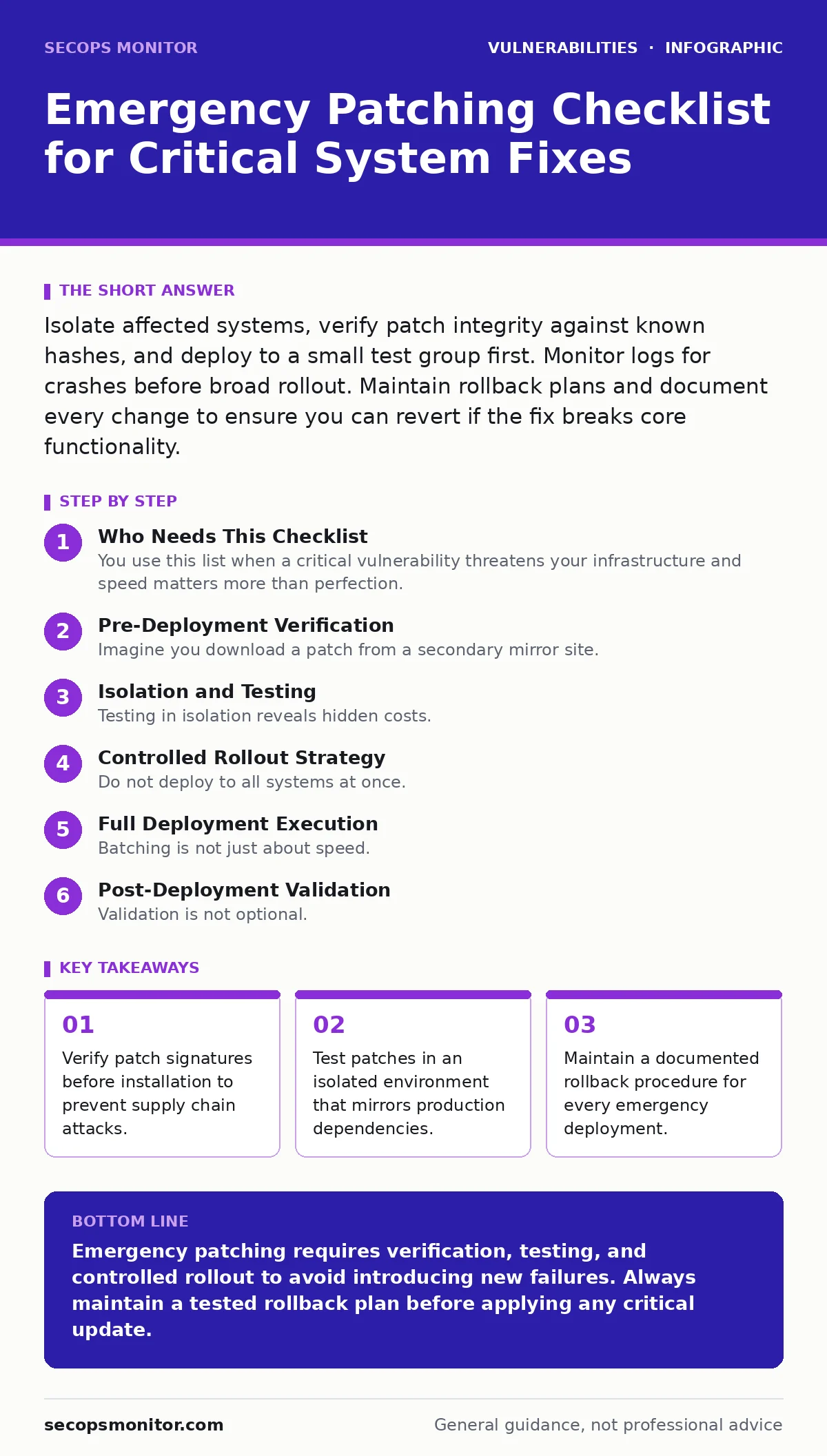
Isolate affected systems, verify patch integrity against known hashes, and deploy to a small test group first. Monitor logs for crashes before broad rollout. Maintain rollback plans and document every change to ensure you can revert if the fix breaks core functionality.
Who Needs This Checklist
You use this list when a critical vulnerability threatens your infrastructure and speed matters more than perfection. It applies to any system administrator managing servers, workstations, or network devices. Do not skip steps to save time. Rushing introduces errors that are harder to fix than the original flaw. Use this checklist as a linear path from detection to stabilization.
Pre-Deployment Verification
- Verify cryptographic signatures of the patch file: Ensures the file has not been tampered with during transit or storage.
- Cross-reference the patch ID with official advisories: Confirms you are applying the correct fix for the specific version of your software.
- Check for dependency conflicts: Prevents the new code from breaking other applications that rely on older library versions.
- Review the changelog for known issues: Identifies if the vendor has already noted regressions in early adopter reports.
Imagine you download a patch from a secondary mirror site. If you do not verify the signature, you might install malware disguised as a security fix. This is why verification is the first step.
Isolation and Testing
- Deploy to a non-production test environment first: Allows you to observe behavior without risking live data or user access.
- Verify application functionality after patching: Confirms that core services still respond correctly to standard requests.
- Check integration points with external services: Ensures that APIs and database connections remain stable after the update.
- Monitor system logs for errors: Detects subtle failures that do not crash the system but degrade performance.
Testing in isolation reveals hidden costs. A patch might fix a security hole but break a legacy script that runs nightly backups. You would not know this until it fails in production. This is where understanding your dependency updates becomes critical. If you have not mapped your dependencies, you are guessing.
Controlled Rollout Strategy
- Identify a small pilot group of systems: Limits the blast radius if the patch causes unexpected failures.
- Apply the patch to the pilot group: Observes real-world behavior under actual load conditions.
- Monitor pilot systems for twenty-four hours: Provides enough time to catch intermittent issues that appear under varying loads.
- Prepare rollback instructions for the pilot group: Ensures you can revert quickly if the pilot fails.
Do not deploy to all systems at once. Even if the test environment passed, production traffic patterns differ. A patch might handle test data fine but crash under high concurrency. This is why vulnerability severity ratings must be weighed against operational risk. A high severity does not always mean immediate global deployment.
Full Deployment Execution
- Schedule deployment during low-usage windows: Minimizes the impact on users if something goes wrong.
- Apply patches in batches: Allows you to stop the process if issues arise in the first batch.
- Verify each batch before proceeding: Confirms stability before exposing more systems to risk.
- Document the deployment time and version: Creates an audit trail for future troubleshooting and compliance.
Batching is not just about speed. It is about control. If the third batch fails, you know the issue is related to that specific configuration or hardware variant. You can isolate and fix it without rolling back the entire organization.
See also: Why Vulnerability Severity Ratings Dictate Your Patching Priority
Post-Deployment Validation
- Run security scans on patched systems: Confirms the vulnerability is actually closed and not just masked.
- Verify no new vulnerabilities were introduced: Some patches accidentally expose new attack surfaces.
- Check performance metrics against baselines: Ensures the patch did not degrade system speed or resource usage.
- Update inventory records with patch status: Keeps your asset management accurate for future audits.
Validation is not optional. A patch might install successfully but fail to apply due to a permission error. Scanning confirms the fix. This aligns with dynamic application security testing (DAST) principles, where you test the running application, not just the code.
Rollback and Recovery
- Confirm rollback procedures are tested: Ensures you can revert to the previous state if the patch fails.
- Keep previous versions of software available: Allows you to reinstall the old version without rebuilding systems.
- Document any issues encountered during rollback: Helps improve future emergency responses.
- Notify stakeholders of rollback status: Maintains transparency with users and management.
Imagine the patch causes a kernel panic. You must revert immediately. If you did not test the rollback, you are now in a worse state than before. This is why secure software development lifecycle practices include rollback planning. It is not just about building; it is about recovering.
Documentation and Review
- Record all steps taken during the emergency: Creates a reference for future incidents.
- Note any deviations from the checklist: Identifies areas where the process failed or was insufficient.
- Update runbooks with lessons learned: Improves future response times and accuracy.
- Schedule a post-incident review: Allows the team to discuss what went right and what did not.
Documentation is not paperwork. It is institutional memory. Without it, you repeat the same mistakes. This ties into threat modeling, where you anticipate failure modes. By documenting, you refine your model.
Key takeaways
- Verify patch signatures before installation to prevent supply chain attacks.
- Test patches in an isolated environment that mirrors production dependencies.
- Maintain a documented rollback procedure for every emergency deployment.
Emergency patching requires verification, testing, and controlled rollout to avoid introducing new failures. Always maintain a tested rollback plan before applying any critical update.
Frequently asked questions
How do I know if a patch is safe to deploy?
Verify its cryptographic signature against the vendor's official keys and test it in an isolated environment that mirrors your production setup.
Can I skip testing for critical vulnerabilities?
No. Skipping testing risks breaking critical services, which may cause more damage than the vulnerability itself.
What if the patch breaks a legacy application?
You must maintain a rollback plan and keep previous versions available to restore functionality quickly.
How often should I review my patching process?
After every emergency deployment and at least quarterly to incorporate lessons learned and new threats.
How this guide was produced: written by the SecOps Monitor editorial team with AI assistance, checked against the public references listed below, and reviewed when the facts change. See our editorial policy or report an error.