Packet capture analysis works by intercepting raw network data at the interface level, stripping hardware headers, and reconstructing protocol layers. This process allows you to inspect payload content, timing anomalies, and handshake sequences that standard logging tools ignore or summarize.
The Capture Interface and Driver Bypass
You cannot analyze what you do not see. The first stage of packet capture analysis involves bypassing the operating system’s network stack to intercept data before the kernel processes it. Standard applications request data through sockets, but the OS filters and reassembles this data for efficiency. This filtering hides low-level details.
To capture everything, you use a driver that operates in promiscuous mode. This mode tells the network interface card to accept every frame it sees, not just those addressed to the machine. Without this setting, the interface drops unknown traffic silently. You lose visibility into broadcast storms, neighbor discovery protocols, and lateral movement attempts that target other IPs.
Imagine you are monitoring a server that receives a DDoS attack. If the interface is not in promiscuous mode, the OS drops the excess traffic to protect the CPU. Your capture tool sees nothing because the data never reaches the application layer. The attack happens, but the record does not exist.
Header Stripping and Layer Reconstruction
Once the driver grabs the frame, it strips the hardware-specific headers. Ethernet frames contain source and destination MAC addresses, VLAN tags, and frame check sequences. These headers are useful for understanding local topology but clutter the view of higher-level protocols.
The analysis tool then reconstructs the packet layers. It identifies the IP header, then the TCP or UDP header, and finally the application payload. This step is critical because protocols are nested. A TCP packet contains an HTTP request, which contains a JSON body. If the layer parsing fails, the payload becomes unreadable garbage.
Protocol Decoding and Payload Inspection
With layers identified, the decoder translates binary data into human-readable fields. It maps port numbers to known services, decodes TCP flags, and extracts HTTP headers. This stage turns raw bytes into context. You can see that port 443 is carrying TLS traffic, but you cannot read the content without the decryption keys.
This is where most analysts stop. They assume that if the protocol is standard, the traffic is safe. This is a dangerous assumption. Protocol abuse is common. An attacker might use DNS queries to exfiltrate data by encoding binary files into domain names. The DNS protocol works perfectly, but the intent is malicious.
You must look at the payload structure, not just the protocol label. Check for unusual payload sizes, repetitive patterns, or data encoded in base64 within standard fields. These anomalies often indicate command-and-control communication or data theft.
Session Reassembly and Stream Analysis
Networks transmit data in small chunks. A single file transfer might split into hundreds of packets. Session reassembly puts these chunks back together in the correct order. It handles out-of-order delivery, duplicates, and lost packets. Without reassembly, you see fragments, not files.
This stage is computationally expensive. It requires memory to hold the state of every active connection. If you capture traffic for a busy server, the number of concurrent sessions can exhaust your system’s RAM. The tool may drop packets or terminate sessions early.
Filtering and Noise Reduction
Raw captures are too large to analyze manually. You must filter out irrelevant traffic. Filtering can happen at capture time or during post-processing. Capture-time filtering saves disk space but risks missing context. Post-processing filtering allows you to adjust criteria after the fact.
Common filters exclude known benign traffic, such as Windows update checks or internal DNS queries. However, attackers often mimic benign traffic. They might use standard ports and protocols to blend in. Over-filtering creates blind spots.
You should balance noise reduction with completeness. Keep a copy of the raw capture before applying aggressive filters. This allows you to revisit the data if your initial assumptions prove wrong.
See also: Diamond Model of Intrusion Analysis Explained Simply · What Is Incident Triage: A Field Manual for First Response
Limitations and Encryption Barriers
Packet capture has hard limits. Encryption is the primary barrier. TLS and IPsec encrypt the payload, making it unreadable without the private keys. You can see the IP addresses and timing, but not the content. This protects privacy but hides malicious activity.
Another limitation is speed. On high-throughput networks, your capture tool may not keep up. It will drop packets, creating gaps in the record. You cannot analyze what was dropped. You must monitor drop counters to assess the reliability of your data.
Finally, storage is finite. Long-term retention requires massive disk arrays. Most organizations keep captures for days, not months. This limits your ability to correlate events over time.
Integrating with Threat Intelligence
Packet data gains meaning when correlated with threat intelligence. You can match IP addresses against known malicious lists or compare traffic patterns against tactics, techniques and procedures (TTPs). This context turns raw data into actionable alerts.
Imagine you see a connection to an unknown IP. Without context, it is just noise. With threat intelligence, you learn that this IP is associated with a specific campaign. You can then prioritize the investigation and look for other indicators of compromise.
This integration also helps in adversary emulation. By analyzing how real attacks appear in packet captures, you can test your detection capabilities. You simulate attacks and verify that your tools capture the critical stages.
Summary of Analysis Stages
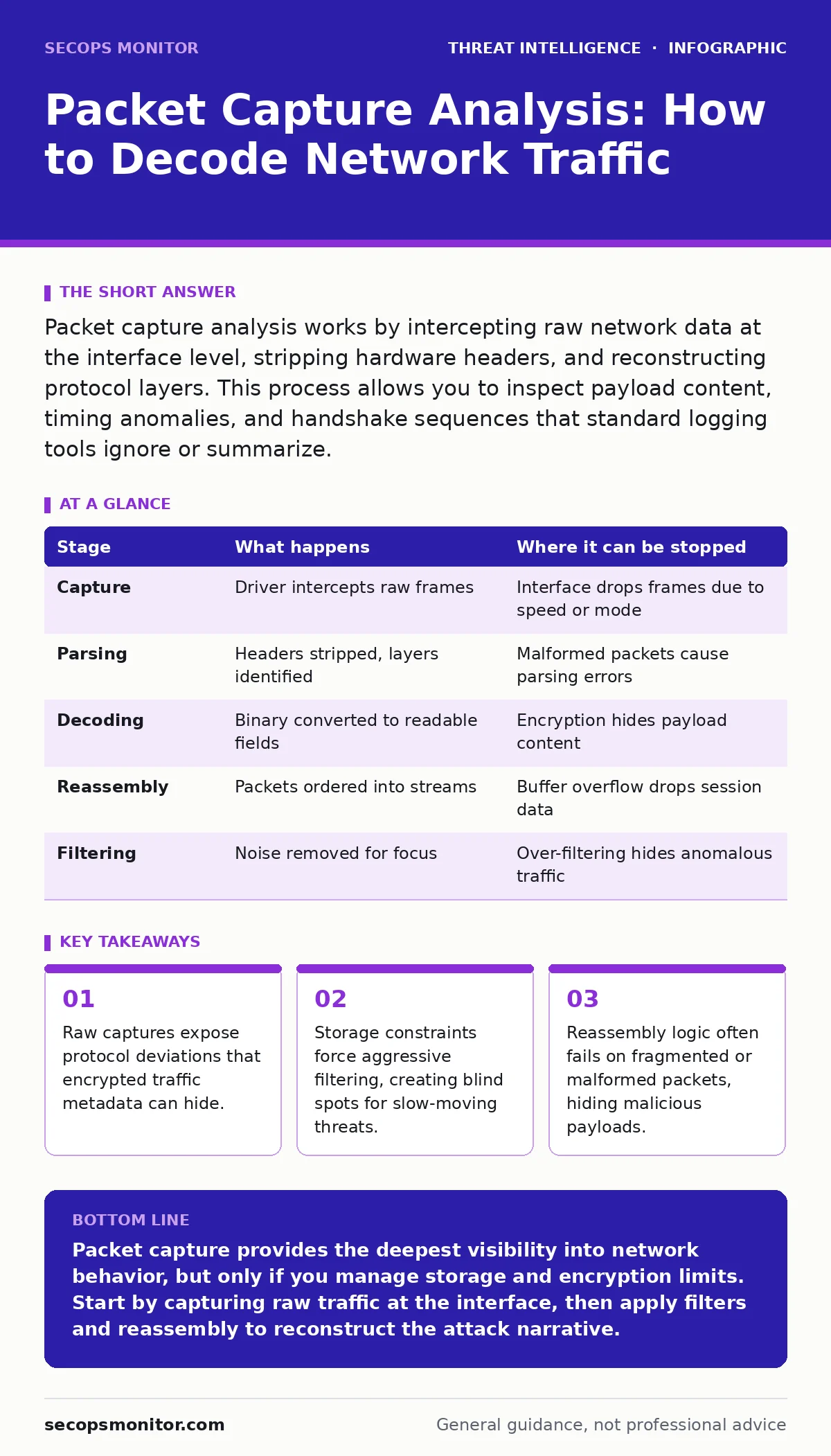
| Stage | What happens | Where it can be stopped |
|---|---|---|
| Capture | Driver intercepts raw frames | Interface drops frames due to speed or mode |
| Parsing | Headers stripped, layers identified | Malformed packets cause parsing errors |
| Decoding | Binary converted to readable fields | Encryption hides payload content |
| Reassembly | Packets ordered into streams | Buffer overflow drops session data |
| Filtering | Noise removed for focus | Over-filtering hides anomalous traffic |
Key takeaways
- Raw captures expose protocol deviations that encrypted traffic metadata can hide.
- Storage constraints force aggressive filtering, creating blind spots for slow-moving threats.
- Reassembly logic often fails on fragmented or malformed packets, hiding malicious payloads.
Packet capture provides the deepest visibility into network behavior, but only if you manage storage and encryption limits. Start by capturing raw traffic at the interface, then apply filters and reassembly to reconstruct the attack narrative.
Frequently asked questions
Can I see inside encrypted HTTPS traffic with packet capture?
No, not without the decryption keys. You can see the IP addresses, ports, and timing, but the payload remains encrypted and unreadable to the capture tool.
How much disk space do I need for packet capture?
It depends on your network speed and retention period. High-throughput networks generate terabytes of data daily. You must plan for aggressive filtering or limited retention.
Does packet capture slow down the network?
No, the capture driver operates at the hardware level. It copies data without interfering with the normal network stack or application performance.
Can packet capture detect insider threats?
Yes, if the insider uses unencrypted protocols or leaks data in the clear. It can capture file transfers, login credentials, and unauthorized access attempts that logs might miss.
How this guide was produced: written by the SecOps Monitor editorial team with AI assistance, checked against the public references listed below, and reviewed when the facts change. See our editorial policy or report an error.