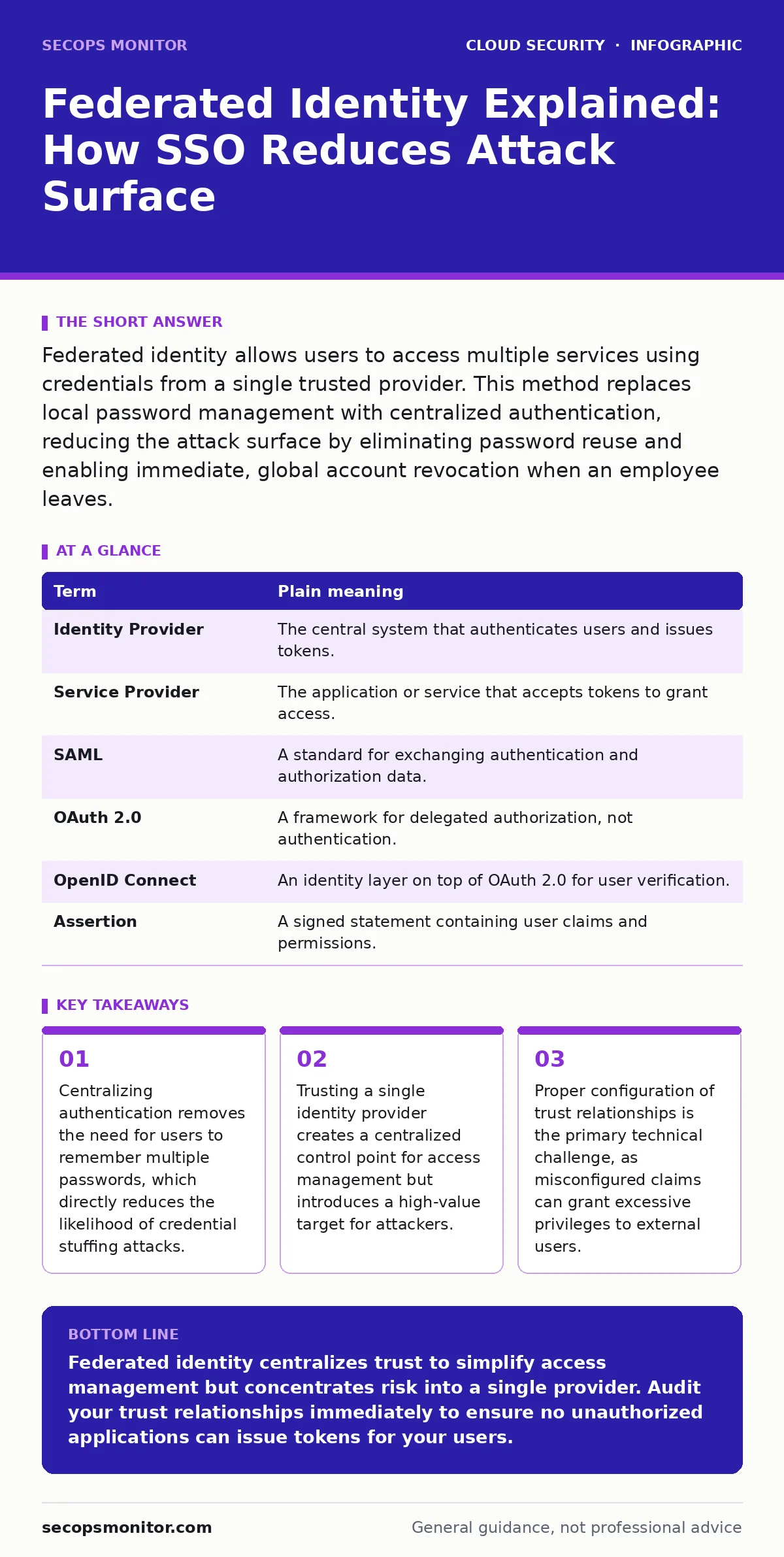
Federated identity allows users to access multiple services using credentials from a single trusted provider. This method replaces local password management with centralized authentication, reducing the attack surface by eliminating password reuse and enabling immediate, global account revocation when an employee leaves.
The Library Card Analogy for Digital Access
Imagine a large university with a library, a gym, and a dining hall. Each facility could require its own membership card and unique PIN. A student would carry 3 cards, risking loss of any single one. Instead, the university issues one master ID card. The library, gym, and dining hall do not store the student’s personal details. They only check the master ID for a valid signature. This single card grants or denies access everywhere. Federated identity works exactly like this university ID system in the cloud environment.
The university is your Identity Provider. The library, gym, and dining hall are your Service Providers. You, the user, hold the credential. The service providers never see your password. They only see a verified statement from the university that you are who you say you are. This separation of duties is the core security benefit. It prevents any single service from holding your master secret.
Core Terminology for Identity Architecture
Understanding the mechanics requires precise language. Ambiguity in these terms leads to misconfiguration. Use this glossary to align your mental model with industry standards.
| Term | Plain meaning |
|---|---|
| Identity Provider | The central system that authenticates users and issues tokens. |
| Service Provider | The application or service that accepts tokens to grant access. |
| SAML | A standard for exchanging authentication and authorization data. |
| OAuth 2.0 | A framework for delegated authorization, not authentication. |
| OpenID Connect | An identity layer on top of OAuth 2.0 for user verification. |
| Assertion | A signed statement containing user claims and permissions. |
The Mechanism of Trust and Tokens
When you log in, the Service Provider redirects you to the Identity Provider. You enter your credentials only there. The Identity Provider verifies them against its database. If valid, it creates a digital token. This token contains claims about your identity, such as your user ID and group memberships. The token is cryptographically signed. The Service Provider verifies the signature using a public key. It does not need to communicate with the Identity Provider for every request. It trusts the signature.
This process relies on asymmetric cryptography. The Identity Provider holds the private key to sign tokens. Service Providers hold the public key to verify them. If an attacker forges a token, the signature check fails. The Service Provider rejects access. This mechanism ensures that even if network traffic is intercepted, the token cannot be altered without detection.
Centralized Control vs. Centralized Risk
Federated identity offers immediate revocation. If an employee leaves, you disable the account in the Identity Provider. Access to all connected Service Providers stops instantly. This eliminates the lag time where former employees retain access to disconnected services. This speed is critical for containment during security incidents. It reduces the window of exposure significantly.
However, this convenience creates a single point of failure. The Identity Provider becomes the most valuable asset in your network. An attacker who compromises the Identity Provider can generate tokens for any user, including administrators. This is why you must apply stricter security controls to the Identity Provider than to any Service Provider. You must implement multi-factor authentication for all Identity Provider accounts. You must monitor for anomalous login patterns.
Imagine a scenario where a phishing campaign targets your helpdesk team. If they reset the password for the root Identity Provider account, the attacker gains full control. This is why understanding identity sprawl is vital. You must map every application connected to your Identity Provider. Unknown connections are unknown risks. You cannot protect what you cannot see.
Configuration Pitfalls and Claim Mapping
Misconfiguration is the most common cause of federated identity failures. Administrators often copy configuration templates without adjusting claims. Claims are the data points passed from the Identity Provider to the Service Provider, such as email address or role. If the Service Provider expects a claim named "role" but the Identity Provider sends "roles", authentication fails. Users are locked out.
Conversely, if the Identity Provider sends excessive claims, you may leak sensitive data. Service Providers should only receive the minimum claims required for operation. This is the principle of least privilege applied to identity data. You must audit the claims mapping regularly. Over time, applications change. A claim that was necessary may become obsolete. Leaving it enabled increases the data exposure surface.
See also: MFA Misconceptions That Leave Cloud Accounts Exposed · Shift-Left Security: 8 Questions Answered for Faster, Safer Code
Practical Implementation Steps
You do not need to rebuild your infrastructure to start. Begin with low-risk applications. Follow these steps to implement federated identity safely.
- Select a non-critical application for the pilot. Choose a service that does not contain sensitive personal data. This limits the impact of configuration errors.
- Register the application in your Identity Provider. Generate the necessary client IDs and secrets. Store these secrets in a secure vault, not in code repositories or configuration files.
- Configure the trust relationship. Define the redirect URIs precisely. Wildcard URIs are dangerous. They allow an attacker to redirect the authentication response to a malicious site, stealing the token. Use exact domain paths.
Monitoring and Incident Response
Authentication logs are your primary detective control. You must aggregate logs from both the Identity Provider and Service Providers. Correlate login events with access events. Look for impossible travel, where a user logs in from two geographically distant locations within minutes. This indicates credential theft.
Federated identity complicates forensic analysis. The Service Provider does not see the password. It only sees the token. If an attacker uses a stolen token, the Service Provider logs a successful login. You must trace the token back to the Identity Provider logs to see where it originated. This requires tight integration between your logging systems. Without it, you cannot determine if the compromise happened at the identity layer or the application layer.
Key takeaways
- Centralizing authentication removes the need for users to remember multiple passwords, which directly reduces the likelihood of credential stuffing attacks.
- Trusting a single identity provider creates a centralized control point for access management but introduces a high-value target for attackers.
- Proper configuration of trust relationships is the primary technical challenge, as misconfigured claims can grant excessive privileges to external users.
Federated identity centralizes trust to simplify access management but concentrates risk into a single provider. Audit your trust relationships immediately to ensure no unauthorized applications can issue tokens for your users.
Frequently asked questions
Does federated identity protect against phishing?
Federated identity does not stop phishing attacks that trick users into entering credentials. It only ensures that the received credentials are verified by a trusted source. You must combine it with multi-factor authentication to mitigate phishing risks.
Can I use federated identity for internal network resources?
Yes, you can extend federated identity to on-premises resources using gateway appliances. These appliances accept tokens and translate them into local credentials. This allows you to apply cloud security policies to legacy systems without rewriting their authentication logic.
What happens if the Identity Provider is down?
If the Identity Provider is unavailable, new users cannot authenticate. Existing sessions may remain active depending on token expiration settings. You should configure fallback authentication methods for critical systems, though this introduces security trade-offs. Plan for redundancy in your Identity Provider infrastructure.
Is SAML better than OAuth for access control?
SAML is designed for authentication and is widely used for enterprise single sign-on. OAuth 2.0 is designed for authorization and API access. OpenID Connect adds identity verification to OAuth. You often use them together. SAML handles the user login, while OAuth handles the application-to-application permissions.
How this guide was produced: written by the SecOps Monitor editorial team with AI assistance, checked against the public references listed below, and reviewed when the facts change. See our editorial policy or report an error.