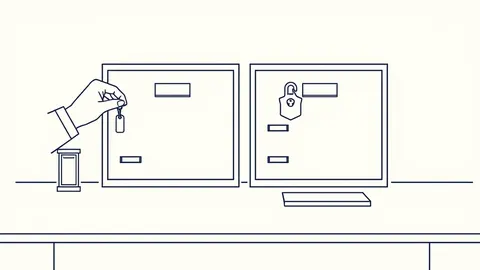
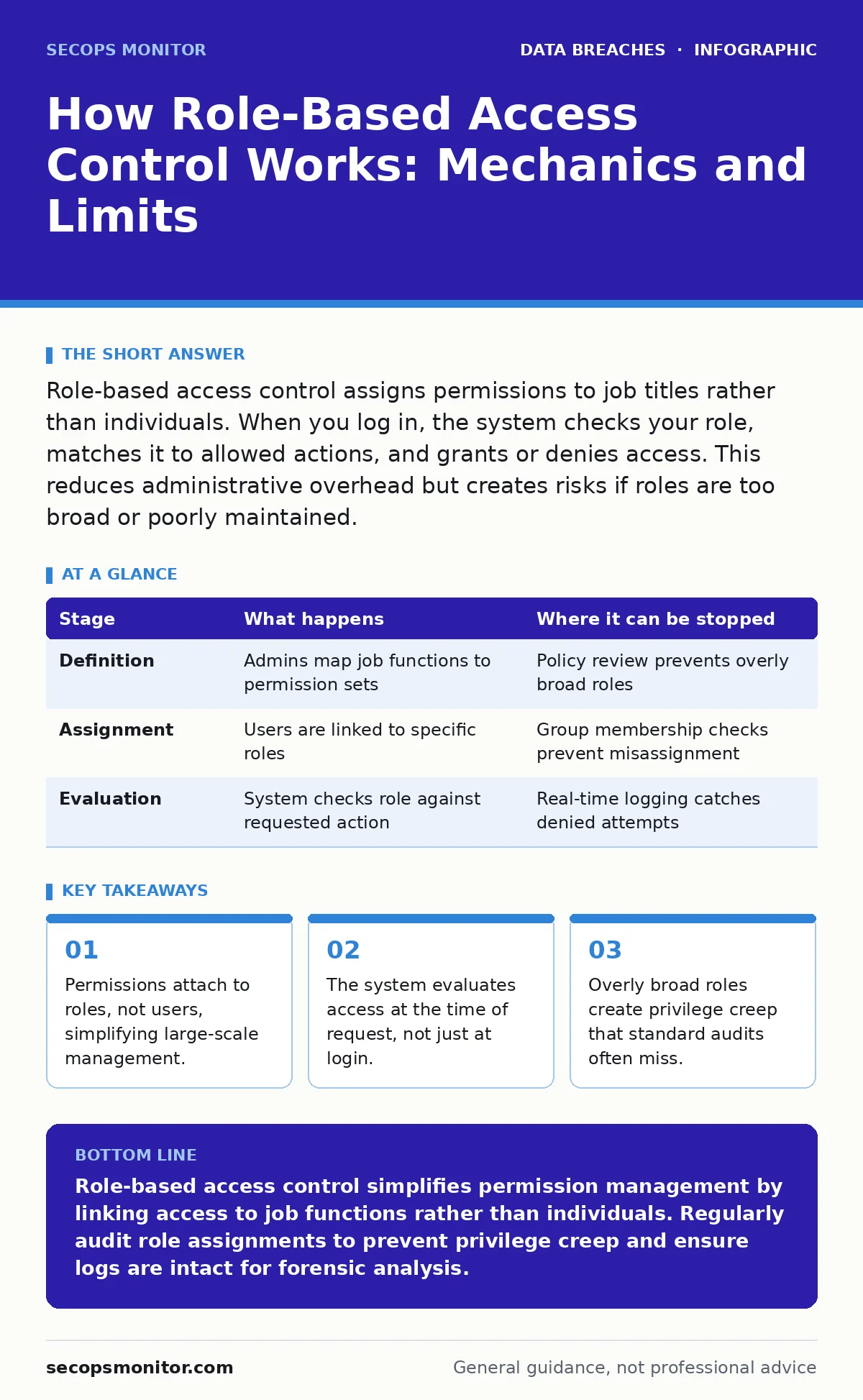
Role-based access control assigns permissions to job titles rather than individuals. When you log in, the system checks your role, matches it to allowed actions, and grants or denies access. This reduces administrative overhead but creates risks if roles are too broad or poorly maintained.
The Architecture of Indirect Access
Role-based access control, known as RBAC, operates on the principle of indirection. Instead of granting permissions directly to a user account, you assign those permissions to a role. You then assign the role to the user. This creates a logical separation between identity and authority.
This structure allows systems to manage access at scale. When a person changes jobs, you simply change their role assignment. You do not need to audit and reconfigure hundreds of individual permission flags. The system relies on a central policy engine to interpret these relationships.
Stage 1: Role Definition and Policy Creation
The process begins with defining what each role can do. Administrators create roles that map to specific job functions, such as editor, auditor, or developer. Each role receives a specific set of permissions, which are the atomic units of access, such as read, write, or execute.
This stage requires careful mapping of business needs to technical constraints. If a role is defined too broadly, it violates the principle of least privilege. If defined too narrowly, it creates administrative friction and may lead to workarounds. The policy engine stores these definitions in a persistent database.
| Stage | What happens | Where it can be stopped |
|---|---|---|
| Definition | Admins map job functions to permission sets | Policy review prevents overly broad roles |
| Assignment | Users are linked to specific roles | Group membership checks prevent misassignment |
| Evaluation | System checks role against requested action | Real-time logging catches denied attempts |
Stage 2: User Assignment and Group Membership
Once roles exist, you assign them to users. This is typically done through group membership in a directory service. When you add a user to the "Finance Team" group, they inherit all permissions associated with the "Finance Editor" role.
This step is where human error often enters the system. Assigning a user to the wrong group grants immediate access to sensitive resources. The system does not question the logic of the assignment; it only enforces the link. Regular reconciliation of group membership is necessary to prevent drift.
Stage 3: Authentication and Token Issuance
When you attempt to access a resource, the system first verifies your identity. This is authentication. It confirms that you are who you claim to be, usually through credentials or tokens. Upon success, the system issues a security token or session object.
This token contains claims, which are statements about the user. One critical claim is the list of roles associated with the user. The token is signed to prevent tampering. The application or service receiving the request trusts this signature. If the token is invalid, access is denied before role evaluation even begins.
Stage 4: Authorization and Policy Evaluation
The core mechanism of RBAC occurs here. When you request an action, such as opening a file, the system extracts your roles from the token. It then consults the access control list for that specific resource. The system checks if any of your roles appear in the list of allowed roles for that action.
This is a binary decision. If a match is found, access is granted. If no match is found, access is denied. The system does not consider intent or context unless additional layers, such as attribute-based access control, are in place. This check happens in milliseconds, often transparently to the user.
See also: Secure file sharing for business: control access and prevent leaks · 7 Security Misconfiguration Mistakes That Leave Systems Exposed
Stage 5: Session Management and Context
Access is not a one-time grant. It persists for the duration of the session. The system must maintain the state of your permissions throughout your interaction. If your role changes while you are logged in, the system may not update your current session immediately.
This creates a window of vulnerability. You may retain elevated privileges after leaving a high-security role, or lose necessary privileges mid-task. Systems often require a re-login to refresh role assignments. This trade-off between security and usability is a constant challenge.
Stage 6: Logging and Audit Trails
Every access decision, granted or denied, is recorded. These logs are critical for forensic analysis. They provide a trail of who accessed what, when, and from where. Without these logs, you cannot detect unauthorized access or investigate a breach.
Logs must be protected from tampering. If an attacker can modify the logs, they can cover their tracks. Centralized logging and integrity checks are standard practices. Reviewing these logs helps identify anomalies, such as a user accessing resources outside their normal pattern.
The Limits of Role-Based Access Control
RBAC is effective for static environments with clear job functions. It struggles in dynamic environments where access needs change frequently. It also lacks granularity. If two users in the same role need different levels of access, RBAC alone cannot distinguish them.
This limitation often leads to role explosion, where administrators create numerous narrow roles to accommodate edge cases. This increases complexity and maintenance overhead. It also creates blind spots where permissions are granted by default because no specific role was defined.
Integration with Broader Security Strategies
RBAC works best when combined with other controls. For instance, linking role changes to incident communication plans ensures that access revocation is part of the response process. Monitoring for unusual activity can complement static role checks.
Consider how data sovereignty requirements might restrict which roles can access data in specific regions. RBAC policies must reflect these legal boundaries. Additionally, chain of custody procedures for digital evidence rely on accurate role logs to prove who handled data.
Hidden Costs of Privilege Creep
One non-obvious consequence of RBAC is privilege creep. Users accumulate roles over time as they take on new responsibilities. They rarely give up old roles. This results in users having more access than necessary, increasing the attack surface.
Another hidden cost is the maintenance burden. As the organization grows, the number of roles and permissions expands. Auditing this matrix becomes time-consuming. Automated tools can help, but they require accurate data. Inaccurate role definitions lead to false positives in audits.
Final Considerations for Implementation
Implementing RBAC requires a clear understanding of business processes. Technical implementation is straightforward; organizational alignment is difficult. You must define roles based on actual job functions, not organizational charts.
Regularly review role assignments. Remove unnecessary permissions. Ensure that logs are comprehensive and protected. RBAC is a foundation, not a complete solution. It must be part of a broader security strategy that includes monitoring, auditing, and incident response.
Key takeaways
- Permissions attach to roles, not users, simplifying large-scale management.
- The system evaluates access at the time of request, not just at login.
- Overly broad roles create privilege creep that standard audits often miss.
Role-based access control simplifies permission management by linking access to job functions rather than individuals. Regularly audit role assignments to prevent privilege creep and ensure logs are intact for forensic analysis.
Frequently asked questions
Can role-based access control prevent data leaks?
It reduces the risk by limiting access to necessary resources, but it cannot prevent a user with authorized access from exfiltrating data. Additional controls like data loss prevention are needed.
Does role-based access control work with cloud services?
Yes, most cloud providers support RBAC. It is often implemented through identity and access management services that integrate with cloud resources.
How this guide was produced: written by the SecOps Monitor editorial team with AI assistance, checked against the public references listed below, and reviewed when the facts change. See our editorial policy or report an error.