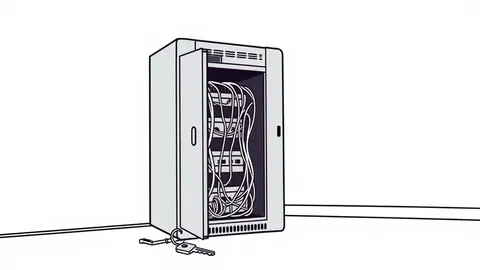
Security misconfigurations occur when systems are left with default settings, unnecessary features enabled, or incorrect permissions. These errors create open doors for attackers without requiring complex exploits. Fix them by hardening defaults, removing unused services, and enforcing least privilege access controls immediately after deployment.
Mistake 1: Leaving Default Credentials Enabled
Default credentials are the username and password pairs set by manufacturers for initial setup. Many administrators forget to change these after installation, assuming the system is behind a firewall. Attackers use automated scanners that test thousands of common default combinations against exposed ports. If a match is found, the attacker gains immediate administrative access without needing to crack a password or exploit software bugs. This bypasses all other security controls because the system trusts the default user completely.
Why it hurts:
An attacker with default credentials has the same rights as the system administrator. They can install malware, create backdoor accounts, or exfiltrate data. This access is persistent and difficult to detect because the login appears legitimate in logs. The system treats this activity as authorized maintenance, masking the intrusion from standard monitoring tools.
The fix:
Change all default usernames and passwords before connecting the device to any network. Disable the default administrative account if the vendor allows it. Create a new administrative account with a unique, complex name and a strong password. This removes the predictable entry point that scanners target.
Mistake 2: Running Unnecessary Services
Every running service listens on a network port and processes incoming requests. Administrators often leave diagnostic, management, or legacy services active because they might be needed someday. Each active service is a potential entry point. Even if the service is not directly vulnerable, it can be used to gather information about the system or to relay attacks to other internal services. The more services running, the larger the attack surface becomes.
Why it hurts:
Unnecessary services consume resources and provide additional vectors for attack. An attacker can exploit a vulnerability in a rarely used service to gain initial access. Once inside, they use the service to pivot to other systems. This lateral movement expands the breach scope quickly. The noise from legitimate service traffic also hides malicious activity, making detection harder.
The fix:
Audit all running services and disable any that are not required for core operations. Use firewalls to block incoming traffic to ports that are not explicitly needed. Regularly review service configurations to ensure new updates have not re-enabled disabled features. This reduces the number of doors an attacker can try to open.
Mistake 3: Misconfigured Access Controls
Access controls define who can view or modify specific resources. Misconfigurations often involve overly permissive settings, such as granting read-write access to public directories or allowing anonymous authentication. Administrators may set broad permissions to avoid troubleshooting access issues later. This convenience creates a security gap where users or attackers can access data they should not see.
Why it hurts:
Weak access controls allow unauthorized data exposure. Attackers can download sensitive files or modify critical configuration files. This leads to data breaches or system instability. The damage is often immediate and widespread because the attacker does not need to escalate privileges. They already have the permissions they need to cause harm.
The fix:
Implement the principle of least privilege. Grant users and services only the permissions they strictly need to perform their tasks. Use role-based access control to manage permissions consistently. Regularly audit access logs to identify and remove unnecessary privileges. This limits the impact of any compromised account.
Mistake 4: Ignoring Error Handling Details
Verbose error messages provide detailed information about the system’s internal state, including file paths, database queries, and software versions. Developers often leave these messages enabled in production environments to help with debugging. Attackers use this information to map the system architecture and identify specific vulnerabilities. This reconnaissance step simplifies the exploitation process significantly.
Why it hurts:
Detailed errors reveal the technology stack and configuration details. An attacker can tailor exploits to the specific software versions running on the server. This targeted approach increases the success rate of attacks. It also helps attackers understand how the application processes input, revealing potential injection points.
The fix:
Configure the application to return generic error messages to users. Log detailed errors internally for administrative review only. Ensure that error pages do not expose stack traces or sensitive data. This prevents attackers from gathering useful intelligence about the system’s internals.
Mistake 5: Failing to Secure Management Interfaces
Management interfaces, such as web consoles or API endpoints, control the system’s configuration. These interfaces are often exposed to the internet for remote administration. If not properly secured, they become high-value targets. Attackers focus on these interfaces because gaining control here allows them to change security settings, disable logging, or install persistent backdoors.
Why it hurts:
Exposing management interfaces without strong authentication or network restrictions invites brute-force attacks. Attackers can guess credentials or exploit vulnerabilities in the interface software. Once inside, they have full control over the system. This control allows them to neutralize security measures and hide their activities effectively.
The fix:
Restrict access to management interfaces using IP whitelisting or virtual private networks. Enforce multi-factor authentication for all administrative logins. Use strong encryption for all communications to the interface. This adds layers of defense that make unauthorized access much more difficult.
See also: Prevent Linux Malware: Priority Controls That Actually Work · Cloud Ransomware Explained: How Attacks Reach Your Data
Mistake 6: Using Weak Encryption Protocols
Encryption protects data in transit and at rest. Older protocols like SSLv3 or weak cipher suites are still supported by some systems for compatibility reasons. Administrators may leave these enabled to avoid breaking older clients. Attackers exploit these weak protocols to decrypt traffic or perform man-in-the-middle attacks. This compromises the confidentiality and integrity of the data.
Why it hurts:
Weak encryption allows attackers to intercept and read sensitive information. They can also modify data in transit without detection. This undermines the trust users place in the system. It also violates compliance requirements for data protection. The risk is higher because the encryption appears to be working, but it is fundamentally broken.
The fix:
Disable all outdated and weak encryption protocols. Configure systems to use only modern, secure protocols like TLS 1.2 or higher. Use strong cipher suites that are resistant to known attacks. Regularly update cryptographic configurations to reflect current best practices. This ensures that data remains protected against modern decryption techniques.
Mistake 7: Neglecting Configuration Drift
Configuration drift occurs when system settings change over time due to updates, manual changes, or automation errors. Administrators often deploy a secure configuration but fail to monitor it. Over time, settings may revert to defaults or become less restrictive. This gradual degradation leaves the system vulnerable without any obvious trigger event.
Why it hurts:
Drift introduces inconsistencies between the intended security posture and the actual state. Attackers can exploit these inconsistencies to gain access. The lack of monitoring means these changes go unnoticed for long periods. This delay allows attackers to establish a foothold and expand their access before detection.
The fix:
Use configuration management tools to enforce consistent settings across all systems. Implement automated auditing to detect and alert on any deviations from the baseline. Regularly review and update configuration standards. This ensures that security controls remain effective despite changes in the environment.
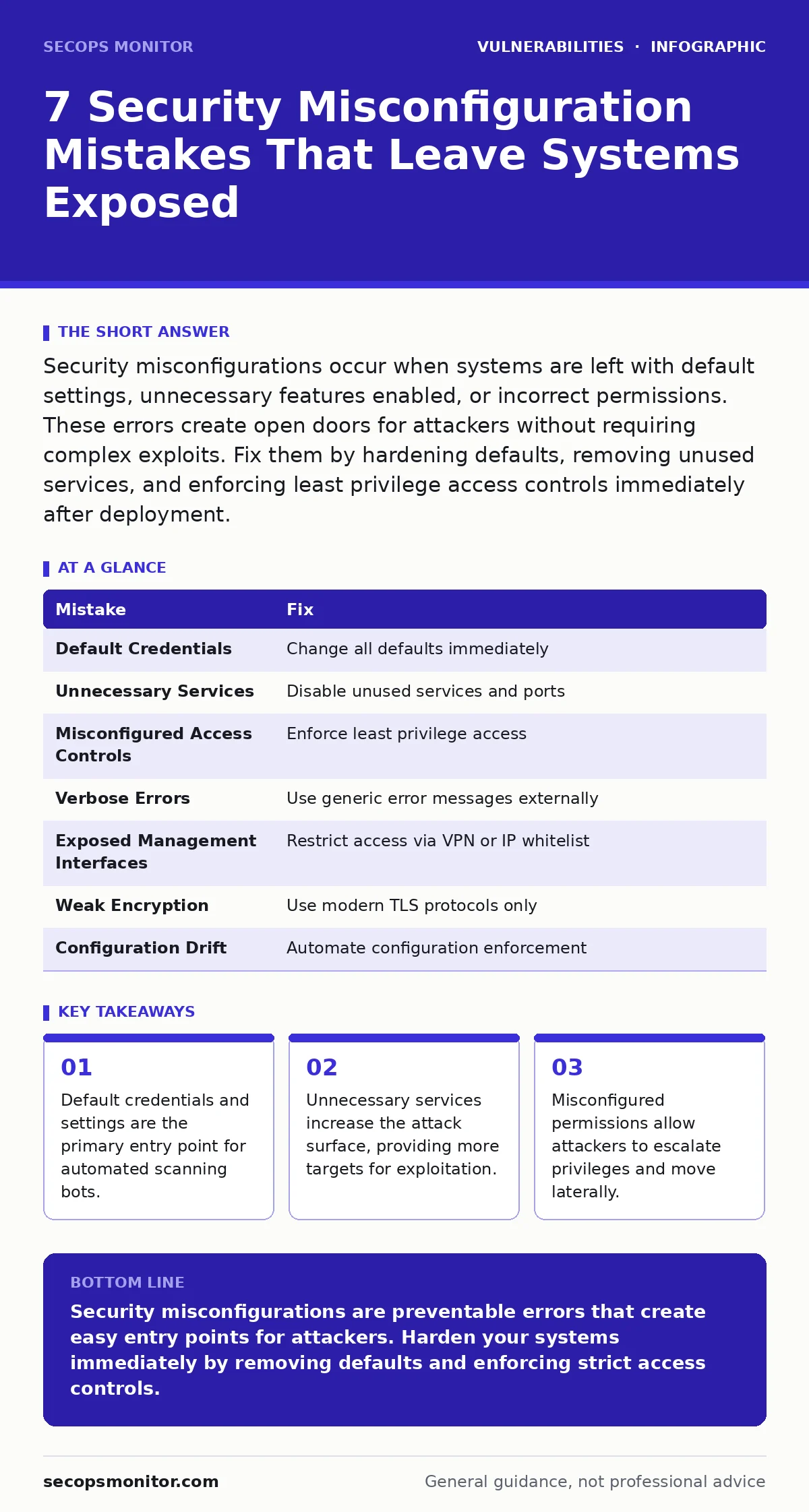
| Mistake | Fix |
|---|---|
| Default Credentials | Change all defaults immediately |
| Unnecessary Services | Disable unused services and ports |
| Misconfigured Access Controls | Enforce least privilege access |
| Verbose Errors | Use generic error messages externally |
| Exposed Management Interfaces | Restrict access via VPN or IP whitelist |
| Weak Encryption | Use modern TLS protocols only |
| Configuration Drift | Automate configuration enforcement |
Key takeaways
- Default credentials and settings are the primary entry point for automated scanning bots.
- Unnecessary services increase the attack surface, providing more targets for exploitation.
- Misconfigured permissions allow attackers to escalate privileges and move laterally.
Security misconfigurations are preventable errors that create easy entry points for attackers. Harden your systems immediately by removing defaults and enforcing strict access controls.
Frequently asked questions
How do I find misconfigurations in my network?
Use automated scanning tools to check for default credentials, open ports, and weak encryption. Review configuration files manually for deviations from security baselines.
Are misconfigurations more dangerous than software bugs?
Misconfigurations are often easier to exploit because they do not require complex code execution. They provide direct access to systems or data, making them highly effective for attackers.
How often should I review security configurations?
Review configurations after every change, update, or deployment. Conduct full audits quarterly to ensure compliance with security policies and detect configuration drift.
What is the impact of ignoring misconfigurations?
Ignoring misconfigurations leads to unauthorized access, data breaches, and system compromise. Attackers can use these errors to bypass security controls and establish persistent access.
How this guide was produced: written by the SecOps Monitor editorial team with AI assistance, checked against the public references listed below, and reviewed when the facts change. See our editorial policy or report an error.