Discretionary access control allows individual users to decide who accesses their files. Role based access control assigns permissions to job titles, not people. The difference lies in who holds the authority. Discretionary models risk over-sharing by owners. Role based models reduce administrative overhead but require strict role definitions. Choose role based for large teams.
What is the difference between discretionary and role based access control?
Discretionary access control allows the owner of a resource to determine who can access it. Role based access control assigns permissions to specific job roles rather than individual users. The fundamental difference is the source of authority. In discretionary systems, the user holds the key. In role based systems, the organization holds the key. This distinction dictates how you manage permissions and audit compliance. Discretionary models offer flexibility but lack consistency. Role based models offer consistency but require rigid structure. You must choose based on your operational scale and risk tolerance.
How does discretionary access control work in practice?
Discretionary access control relies on the principle that the creator of a file or object owns the right to share it. Users set permissions through access control lists. These lists specify which other users or groups can read, write, or execute the resource. The owner can grant access to anyone at any time. This model is common in personal computing environments and small workgroups. It assumes users understand the sensitivity of their data. This assumption often fails in larger organizations. Users frequently grant excessive permissions to facilitate collaboration. This leads to permission creep and increased attack surface.
Why does role based access control scale better?
Role based access control decouples permissions from individual identities. Administrators define roles that correspond to job functions. Each role has a predefined set of permissions. Users are assigned to roles, not given direct permissions. When an employee changes jobs, you simply change their role assignment. You do not need to review hundreds of individual file permissions. This reduces administrative overhead and human error. It also ensures that all users in the same role have identical access. This consistency simplifies auditing and compliance reporting. You can verify that a role has the correct permissions once, rather than for every user.
What are the hidden costs of discretionary access control?
The hidden cost of discretionary access control is the erosion of security boundaries. Users prioritize convenience over security when sharing files. They often grant write access when only read access is needed. They rarely revoke access when collaboration ends. This creates a sprawling web of permissions that is difficult to map. Attackers exploit these loose connections to move laterally. Once they compromise one user, they can access resources shared with that user. You spend more time investigating breaches than preventing them. The administrative burden of auditing individual permissions grows exponentially with user count.
When does role based access control fail?
Role based access control fails when roles are too broad or too narrow. Broad roles grant excessive permissions to users who do not need them. This violates the principle of least privilege. Narrow roles create too many roles to manage. Administrators struggle to keep up with the complexity. Role based access control also struggles with dynamic environments. If job functions change frequently, roles become outdated. Users may retain permissions from previous roles. This is known as permission accumulation. You must regularly review and update role definitions. Without this maintenance, the model loses its security benefits.
See also: Secure file sharing for business: control access and prevent leaks · 7 Security Misconfiguration Mistakes That Leave Systems Exposed
How do you handle exceptions in a strict model?
Strict access models struggle with temporary or ad-hoc needs. Employees often need access to resources outside their normal role. Creating a new role for every exception defeats the purpose. Using discretionary controls for exceptions reintroduces inconsistency. The solution is to use time-bound access grants. These grants automatically expire after a set period. They require justification and approval. This maintains the integrity of the role based model while accommodating legitimate needs. You must have a process for requesting and reviewing these exceptions. Document the reason for each exception. This creates an audit trail for compliance.
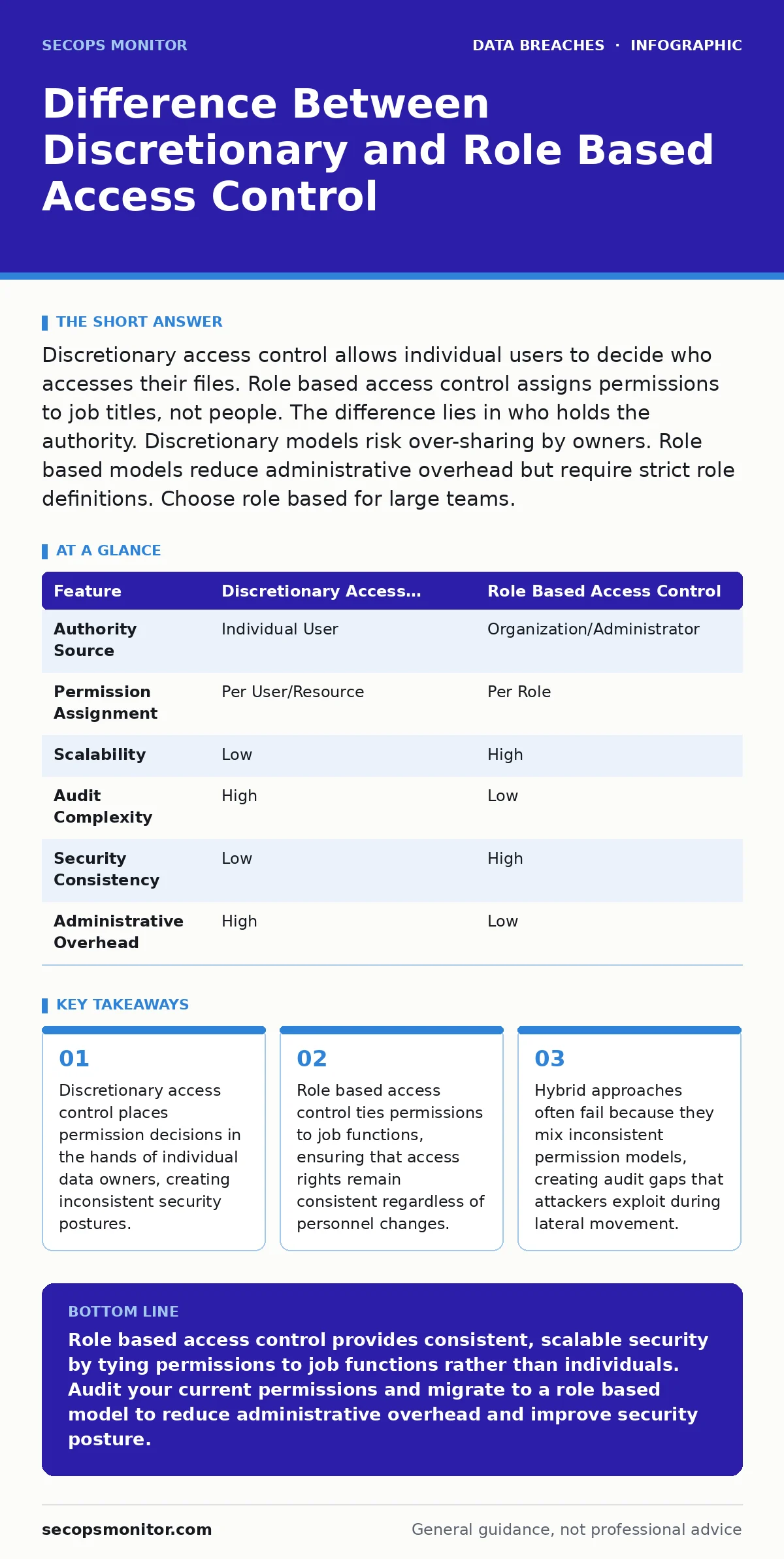
| Feature | Discretionary Access Control | Role Based Access Control |
|---|---|---|
| Authority Source | Individual User | Organization/Administrator |
| Permission Assignment | Per User/Resource | Per Role |
| Scalability | Low | High |
| Audit Complexity | High | Low |
| Security Consistency | Low | High |
| Administrative Overhead | High | Low |
What happens when you mix both models?
Mixing discretionary and role based access control creates a hybrid model. This approach often leads to confusion and security gaps. Users may believe role based permissions apply, but discretionary overrides exist. Administrators cannot easily determine the effective permissions for a user. Attackers look for these inconsistencies. They exploit the weaker link in the chain. A user may have limited role based access but broad discretionary access to shared folders. This undermines the security posture of the entire system. You must choose one primary model and stick to it. Use the other model only for specific, well-defined exceptions.
How do you audit permissions effectively?
Auditing discretionary access control requires checking every file and folder. This is impractical in large environments. Auditing role based access control requires checking each role. You verify that the permissions assigned to the role are correct. You then verify that users are assigned to the correct roles. This two-step process is more efficient. You can use automated tools to generate reports. You can identify users with excessive permissions. You can also identify roles that are no longer needed. Regular audits help maintain the integrity of your access control model.
What is the impact on incident response?
During a security incident, you need to quickly determine who had access to compromised data. In discretionary models, this is difficult. You must trace permissions back to individual users. In role based models, this is easier. You can identify all users in a specific role. You can then isolate those users or revoke their access. This speeds up containment and recovery. You can also use role based access control to enforce segregation of duties. This prevents a single user from performing conflicting actions. For example, a user who creates invoices should not be able to approve payments. This reduces the risk of internal fraud.
How does this relate to other security practices?
Access control is a foundational element of security. It works in conjunction with other practices. For instance, secure file sharing platforms often implement role based access control by default. This ensures that only authorized users can access shared documents. You should also consider your digital footprint when managing permissions. Excessive access increases the amount of data exposed. This makes you a more attractive target for attackers. Regularly reviewing permissions helps reduce your attack surface. It also supports your incident communication plans by providing clear records of access. You can quickly identify who was affected by a breach. This improves transparency and trust.
Key takeaways
- Discretionary access control places permission decisions in the hands of individual data owners, creating inconsistent security postures.
- Role based access control ties permissions to job functions, ensuring that access rights remain consistent regardless of personnel changes.
- Hybrid approaches often fail because they mix inconsistent permission models, creating audit gaps that attackers exploit during lateral movement.
Role based access control provides consistent, scalable security by tying permissions to job functions rather than individuals. Audit your current permissions and migrate to a role based model to reduce administrative overhead and improve security posture.
Frequently asked questions
Can I use discretionary access control for small teams?
Yes, discretionary access control is manageable for small teams with low data sensitivity. However, you should still enforce strict guidelines on permission granting to avoid security gaps.
How do I handle users who have multiple roles?
Assign users to all relevant roles. The system will combine the permissions from each role. Ensure that the combined permissions do not violate segregation of duties or least privilege principles.
What is the principle of least privilege?
The principle of least privilege states that users should only have the minimum access necessary to perform their job functions. This reduces the risk of accidental or malicious data exposure.
Does role based access control prevent insider threats?
Role based access control reduces the risk of insider threats by limiting access to necessary resources. However, it does not eliminate the risk. You must also monitor user activity and enforce strong authentication.
How this guide was produced: written by the SecOps Monitor editorial team with AI assistance, checked against the public references listed below, and reviewed when the facts change. See our editorial policy or report an error.