You leave devices open by disabling sleep locks, skipping full-disk encryption, and ignoring remote wipe capabilities. These mistakes turn a lost laptop into a free data dump. Fix them by enforcing automatic screen locks, verifying encryption status, and testing remote wipe commands regularly to keep your information secure.
Mistake 1: Trusting Sleep Mode Over Locking
Leaving a device in sleep mode instead of locking it creates a direct path to your data. Sleep mode keeps the operating system active in memory to resume quickly, but it often skips the login screen. An attacker who picks up a sleeping laptop can access open files, cached credentials, and active sessions without knowing your password. This bypasses the primary authentication barrier entirely.
Why it hurts:
The operating system holds sensitive data in volatile memory while sleeping. Physical access to this hardware allows an attacker to extract that memory or simply interact with the unlocked user interface. You lose control over who sees your work the moment the device enters low-power state.
The fix:
Configure your power settings to require a password immediately upon waking from sleep or hibernation. Set the screen to lock after 1 minute of inactivity. This forces authentication before any data is displayed, ensuring that physical possession does not equal data access.
Mistake 2: Skipping Full-Disk Encryption
Storing data on an unencrypted drive means anyone with physical access to the storage medium can read it. You can remove the hard drive and connect it to another computer, or use a bootable USB to bypass the operating system login. Without encryption, the file system remains readable, exposing emails, documents, and database credentials to any technician or thief.
Why it hurts:
Physical theft of the storage component renders software-based permissions useless. The attacker bypasses the operating system entirely, accessing raw files. This turns a hardware loss into a total data compromise, regardless of how strong your network security is.
The fix:
Enable full-disk encryption on every device containing organizational data. Use industry-standard protocols like BitLocker for Windows or FileVault for macOS. Ensure the encryption key is tied to the device hardware or a centralized management system, not just a user password that might be forgotten.
Mistake 3: Ignoring Remote Wipe Capabilities
Assuming a lost device will be returned is a dangerous gamble. If you do not have a working remote wipe mechanism, you cannot destroy the data on the device once it leaves your control. The data remains intact on the storage drive, waiting for someone to extract it. This lack of control extends the window of exposure indefinitely.
Why it hurts:
You surrender ownership of your data the moment the device is lost. Without remote wipe, you have no way to verify that the data is destroyed. The device becomes a persistent liability, and you cannot prove to stakeholders or auditors that the risk has been mitigated.
The fix:
Enroll all devices in a mobile device management system that supports remote wiping. Test this function quarterly to ensure it works when the device is online. Configure the system to wipe data after a specific number of failed login attempts, providing a fallback if remote commands fail.
Mistake 4: Storing Credentials in Plain Text
Saving passwords in unencrypted text files or browser autofill fields creates a high-value target for thieves. If an attacker gains physical access to a desktop or laptop, they can often access these stored credentials without triggering security alerts. This gives them immediate access to email, cloud storage, and financial accounts linked to that user.
Why it hurts:
This mistake amplifies the impact of a single hardware loss. The attacker does not need to crack your password; they simply read it. This leads to account takeover and further lateral movement within your organization, turning a minor hardware issue into a major security incident.
The fix:
Use a password manager that encrypts credentials locally or in the cloud. Never store passwords in text editors, spreadsheets, or sticky notes. Configure browsers to not save passwords for sensitive accounts, and enforce multi-factor authentication to add a layer of security that physical access cannot bypass.
Mistake 5: Failing to Track Device Inventory
Not knowing where your devices are makes it impossible to respond to a loss quickly. If you lack a precise inventory, you cannot confirm if a device is missing or just misplaced. This delay increases the time attackers have to access data and complicates the investigation process. You waste valuable hours searching for records instead of securing data.
Why it hurts:
Delayed detection extends the breach dwell time, allowing attackers more opportunity to exfiltrate data. Without accurate records, you cannot determine the scope of the loss or notify the right stakeholders. This uncertainty leads to poor decision-making and increased liability.
The fix:
Maintain a detailed inventory of all hardware, including serial numbers, assigned users, and last known locations. Use automated asset discovery tools to keep this inventory updated. Integrate this data with your security information and event management system to trigger alerts when devices go offline unexpectedly.
See also: Password Reuse Myths: What Actually Weakens Your Security Posture · Secure file sharing for business: control access and prevent leaks
Mistake 6: Overlooking SIM Swap Fraud Risks
Relying on SMS for two-factor authentication on mobile devices exposes you to SIM swap fraud. An attacker can convince your mobile carrier to transfer your phone number to a new SIM card, intercepting your verification codes. This allows them to bypass multi-factor authentication and access your accounts, even if the physical device is secured.
Why it hurts:
This attack vector bypasses the physical security of the device entirely. The attacker does not need the phone; they need control of the phone number. This renders SMS-based authentication useless and provides a direct path to your most sensitive accounts.
The fix:
Disable SMS as a second factor for authentication. Use an authenticator app or hardware security key instead. These methods are tied to the device itself and cannot be intercepted by a carrier-level attack. Educate users on the risks of sharing personal information that could facilitate identity theft.
Mistake 7: Neglecting Chain of Custody Procedures
When a device is recovered or turned in, failing to document its handling creates legal and operational risks. If you do not maintain a strict chain of custody, you cannot prove that the device was not tampered with after recovery. This undermines any forensic investigation and may void insurance claims or compliance requirements.
Why it hurts:
Poor documentation leads to disputes over responsibility and data integrity. You cannot trust the evidence gathered from the device if its history is unclear. This weakens your position in compliance audits and may prevent you from taking necessary legal action.
The fix:
Establish a formal process for handling recovered devices. Document every person who handles the device, the time of transfer, and the condition of the hardware. Store the device in a secure location until it can be professionally wiped or destroyed. This ensures accountability and preserves the integrity of any potential evidence.
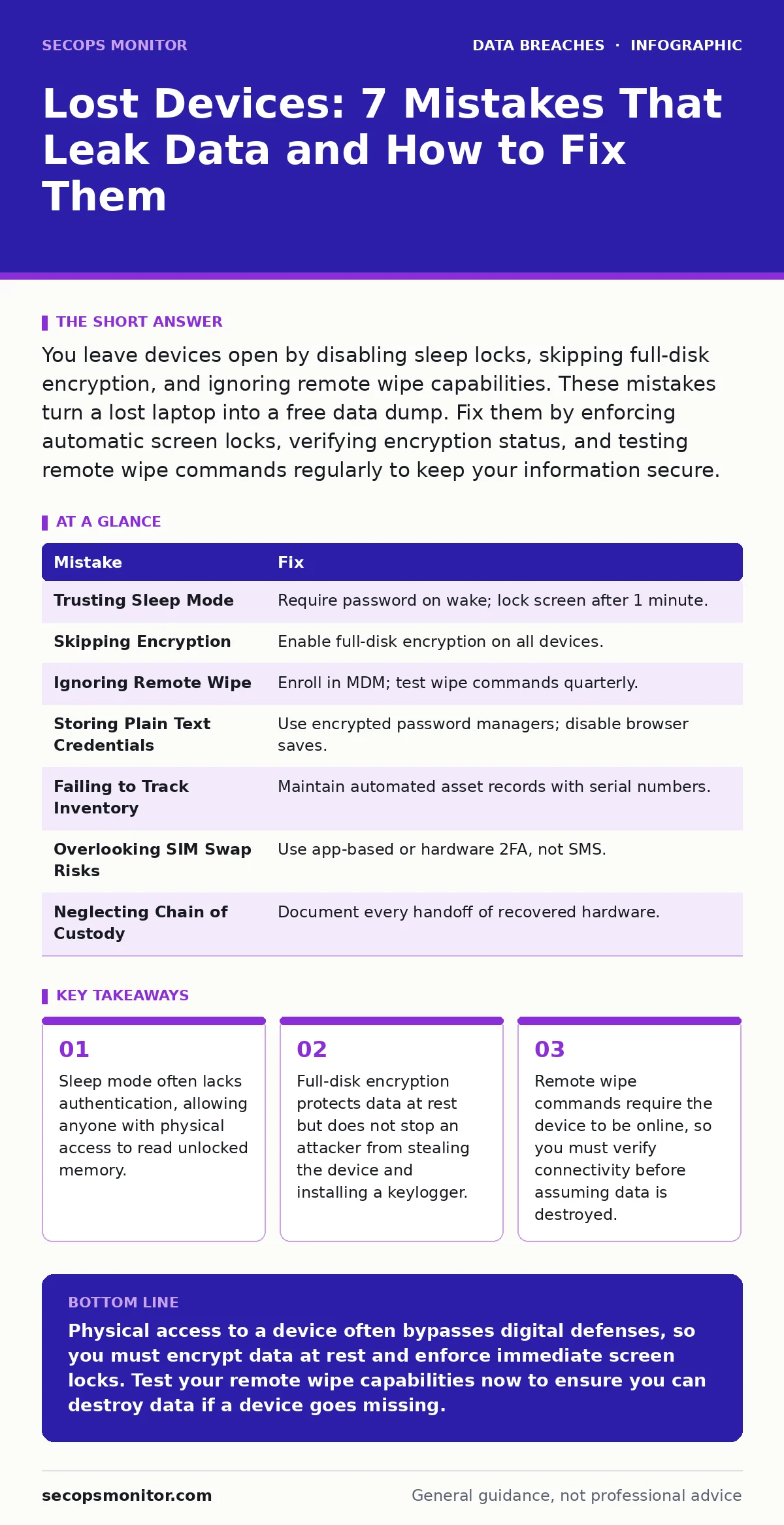
| Mistake | Fix |
|---|---|
| Trusting Sleep Mode | Require password on wake; lock screen after 1 minute. |
| Skipping Encryption | Enable full-disk encryption on all devices. |
| Ignoring Remote Wipe | Enroll in MDM; test wipe commands quarterly. |
| Storing Plain Text Credentials | Use encrypted password managers; disable browser saves. |
| Failing to Track Inventory | Maintain automated asset records with serial numbers. |
| Overlooking SIM Swap Risks | Use app-based or hardware 2FA, not SMS. |
| Neglecting Chain of Custody | Document every handoff of recovered hardware. |
Key takeaways
- Sleep mode often lacks authentication, allowing anyone with physical access to read unlocked memory.
- Full-disk encryption protects data at rest but does not stop an attacker from stealing the device and installing a keylogger.
- Remote wipe commands require the device to be online, so you must verify connectivity before assuming data is destroyed.
Physical access to a device often bypasses digital defenses, so you must encrypt data at rest and enforce immediate screen locks. Test your remote wipe capabilities now to ensure you can destroy data if a device goes missing.
Frequently asked questions
Does full-disk encryption protect against all physical attacks?
No, encryption protects data at rest but does not prevent keylogging, screen recording, or attacks on an unlocked, active system.
How quickly should I act when a device is reported lost?
You should initiate remote wipe and disable user accounts immediately to prevent unauthorized access while you locate the device.
Can I use a personal device for work without these risks?
Yes, but you must enforce the same security policies, including encryption and remote wipe, through a mobile device management solution.
What if the remote wipe command fails?
If the device is offline, the command queues until it connects. You must then assume the data is compromised and rotate all affected credentials.
How this guide was produced: written by the SecOps Monitor editorial team with AI assistance, checked against the public references listed below, and reviewed when the facts change. See our editorial policy or report an error.