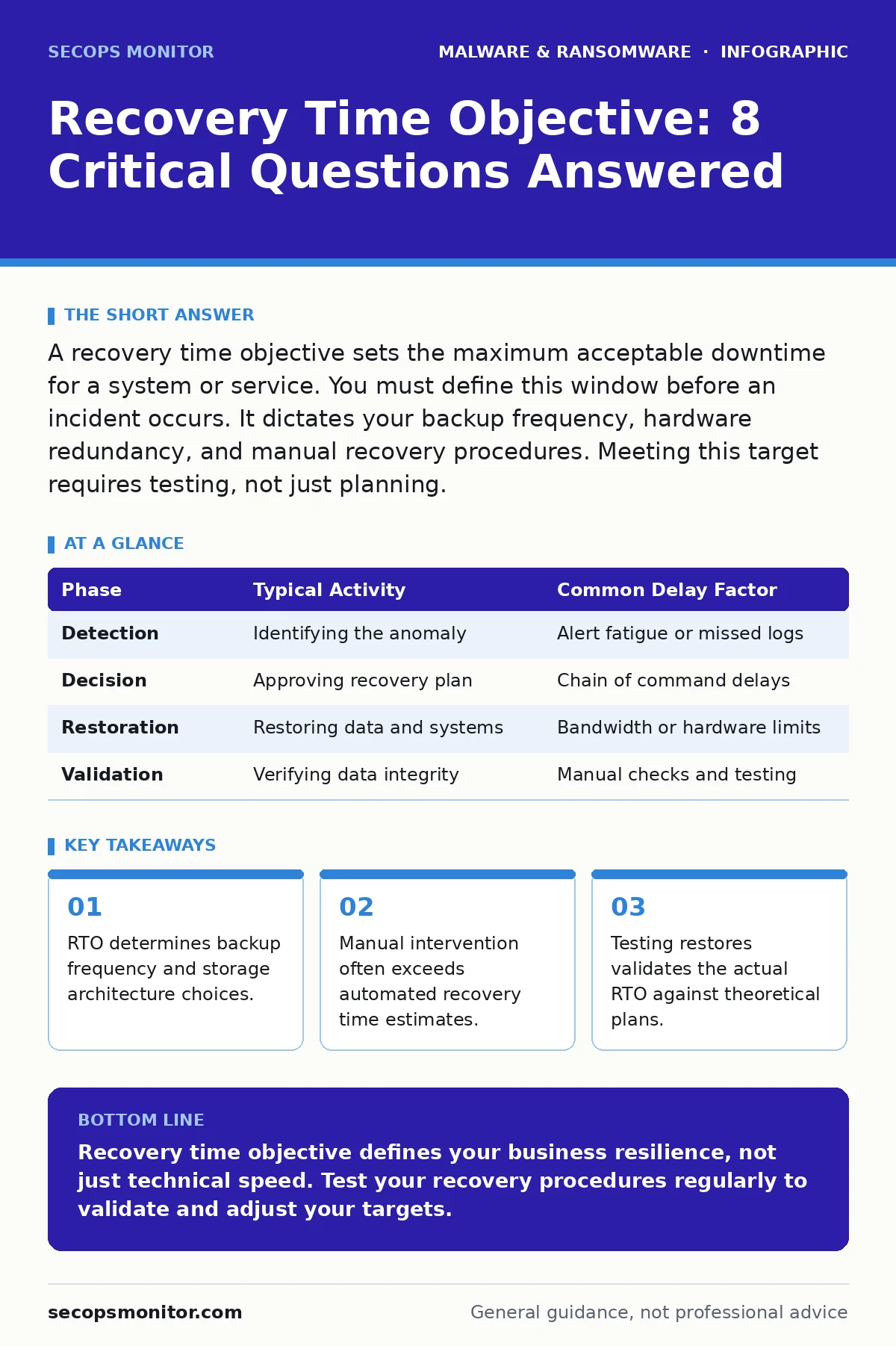
A recovery time objective sets the maximum acceptable downtime for a system or service. You must define this window before an incident occurs. It dictates your backup frequency, hardware redundancy, and manual recovery procedures. Meeting this target requires testing, not just planning.
What defines a recovery time objective?
A recovery time objective defines the maximum acceptable duration that a system can remain offline after a disruption. You set this value based on business impact, not technical convenience. It answers how long you can afford to wait before users lose access to critical data or services. This metric drives your entire disaster recovery strategy.
How does RTO differ from recovery point objective?
Recovery time objective measures downtime duration, while recovery point objective measures data loss tolerance. RTO asks how long the system is down; RPO asks how much data you can afford to lose. If your RPO is 1 hour, you must back up every hour. If your RTO is 4 hours, you must restore within that window. Both metrics work together to define risk exposure.
What determines the appropriate RTO for a system?
Business impact analysis determines the appropriate recovery time objective for each system. You must identify which services generate revenue or support compliance. Core transaction systems often require minute-level RTOs. Internal documentation tools might tolerate day-level RTOs. Classifying systems by criticality prevents over-engineering recovery for low-value assets.
How does RTO influence backup strategy?
Your recovery time objective dictates the speed and frequency of your backup operations. Short RTOs require frequent incremental backups and fast restore capabilities. Long RTOs allow for less frequent full backups and slower restoration methods. If you need to recover in minutes, standard tape backups fail. You need high-performance storage and network bandwidth to meet tight deadlines.
What is the impact of ransomware on RTO?
Ransomware encryption extends recovery time by requiring clean data restoration from backups. If your backups are also encrypted, your RTO becomes infinite until you find clean copies. This scenario highlights the need for immutable backups, which prevent modification or deletion for a set period. Refer to our guide on immutable backups for storage configurations that resist ransomware alteration.
How do you calculate actual recovery time?
Actual recovery time includes detection, decision, restoration, and validation phases. Many teams only calculate the restoration phase, ignoring the time spent identifying the breach. You must measure the full cycle during tabletop exercises. Include the time required to reboot servers, reconfigure networks, and verify data integrity. Hidden delays in manual steps often break RTO targets.
| Phase | Typical Activity | Common Delay Factor |
|---|---|---|
| Detection | Identifying the anomaly | Alert fatigue or missed logs |
| Decision | Approving recovery plan | Chain of command delays |
| Restoration | Restoring data and systems | Bandwidth or hardware limits |
| Validation | Verifying data integrity | Manual checks and testing |
Why do manual interventions extend RTO?
Manual configuration steps introduce human error and variability into the recovery process. Automated scripts restore data quickly, but reconfiguring firewall rules or application settings often requires manual input. If a team member is unavailable, the process stalls. You must automate as many configuration steps as possible. Documenting manual steps ensures consistency when automation fails.
How does endpoint complexity affect RTO?
Complex endpoint environments with custom configurations increase recovery time significantly. Restoring a standard image is fast; restoring a unique server with custom patches takes longer. You must standardize endpoints to reduce this variability. Refer to our guide on reimaging infected computers for strategies to maintain consistent system states. Complex dependencies between services can also create hidden bottlenecks during restoration.
What role does heuristic detection play in RTO?
Heuristic detection identifies unknown malware by analyzing behavior rather than signatures. This method reduces the time spent identifying the threat, but it can produce false positives. False positives may lead to unnecessary system isolation, extending downtime. Balancing detection sensitivity with operational stability is key. Refer to our guide on heuristic detection for tuning alerts to minimize false alarms.
How do you test RTO effectiveness?
Regular disaster recovery drills test your actual recovery time against your target. You cannot trust theoretical estimates without empirical data. Simulate different failure scenarios, including partial data loss and hardware failure. Measure the time from incident declaration to full service restoration. Adjust your infrastructure and procedures based on these results. Testing reveals hidden dependencies and procedural gaps.
What is the impact of firmware malware on RTO?
Firmware malware resides in the hardware layer, below the operating system. Standard reimaging does not remove it, requiring physical hardware replacement. This drastically extends recovery time, often exceeding standard RTOs. You must assume firmware compromise in worst-case scenarios. Refer to our guide on firmware malware for detection and mitigation strategies that protect your hardware supply chain.
How does script blocking influence recovery speed?
Script blocking prevents malicious code execution, reducing the initial spread of malware. This containment reduces the scope of the incident, allowing faster recovery. However, overly strict policies may block legitimate automation scripts, causing operational delays. You must balance security with operational efficiency. Refer to our guide on script blocking for configuring allowlists that support recovery automation.
What are the hidden costs of tight RTOs?
Tight recovery time objectives require expensive infrastructure, such as redundant hardware and high-speed networks. Maintaining these systems increases operational costs significantly. You must weigh the cost of downtime against the cost of resilience. Over-investing in low-criticality systems wastes resources. Focus your budget on systems that directly impact revenue or compliance.
How do wiper malware attacks challenge RTO?
Wiper malware intentionally destroys data, making recovery dependent entirely on backups. Unlike ransomware, there is no negotiation or decryption key. This forces immediate reliance on your backup integrity and speed. If backups are incomplete or corrupted, recovery fails. Refer to our guide on wiper malware for strategies to detect and mitigate destructive attacks that bypass encryption.
What is the relationship between RTO and trojans?
Trojans disguise themselves as legitimate software, delaying detection and extending the incident timeline. The longer a trojan remains undetected, the more systems it compromises. This increases the scope of recovery, extending your RTO. Early detection via behavioral analysis is critical. Refer to our guide on trojans for identifying disguised threats that evade signature-based detection.
How does signature-based detection limit RTO improvements?
Signature-based detection relies on known threat patterns, leaving new threats undetected. This gap allows novel malware to spread before identification, increasing recovery time. You must complement signatures with behavioral analysis. Refer to our guide on signature-based detection for understanding its limitations in zero-day scenarios.
Key takeaways
- RTO determines backup frequency and storage architecture choices.
- Manual intervention often exceeds automated recovery time estimates.
- Testing restores validates the actual RTO against theoretical plans.
Recovery time objective defines your business resilience, not just technical speed. Test your recovery procedures regularly to validate and adjust your targets.
Frequently asked questions
Can I change my RTO after an incident?
You can adjust your RTO post-incident, but this requires updating your infrastructure and runbooks. Changing targets without adjusting resources leads to future failures.
Does cloud storage improve RTO?
Cloud storage can improve RTO by providing scalable restore bandwidth, but network latency may offset gains. You must test cloud restore speeds under load.
How often should I test my RTO?
Test your recovery procedures at least quarterly or after significant infrastructure changes. Regular testing ensures your processes remain effective and accurate.
What if I miss my RTO target?
Missing your RTO indicates a gap in your infrastructure or process. Analyze the delay, update your runbook, and adjust resources to meet the target.
How this guide was produced: written by the SecOps Monitor editorial team with AI assistance, checked against the public references listed below, and reviewed when the facts change. See our editorial policy or report an error.