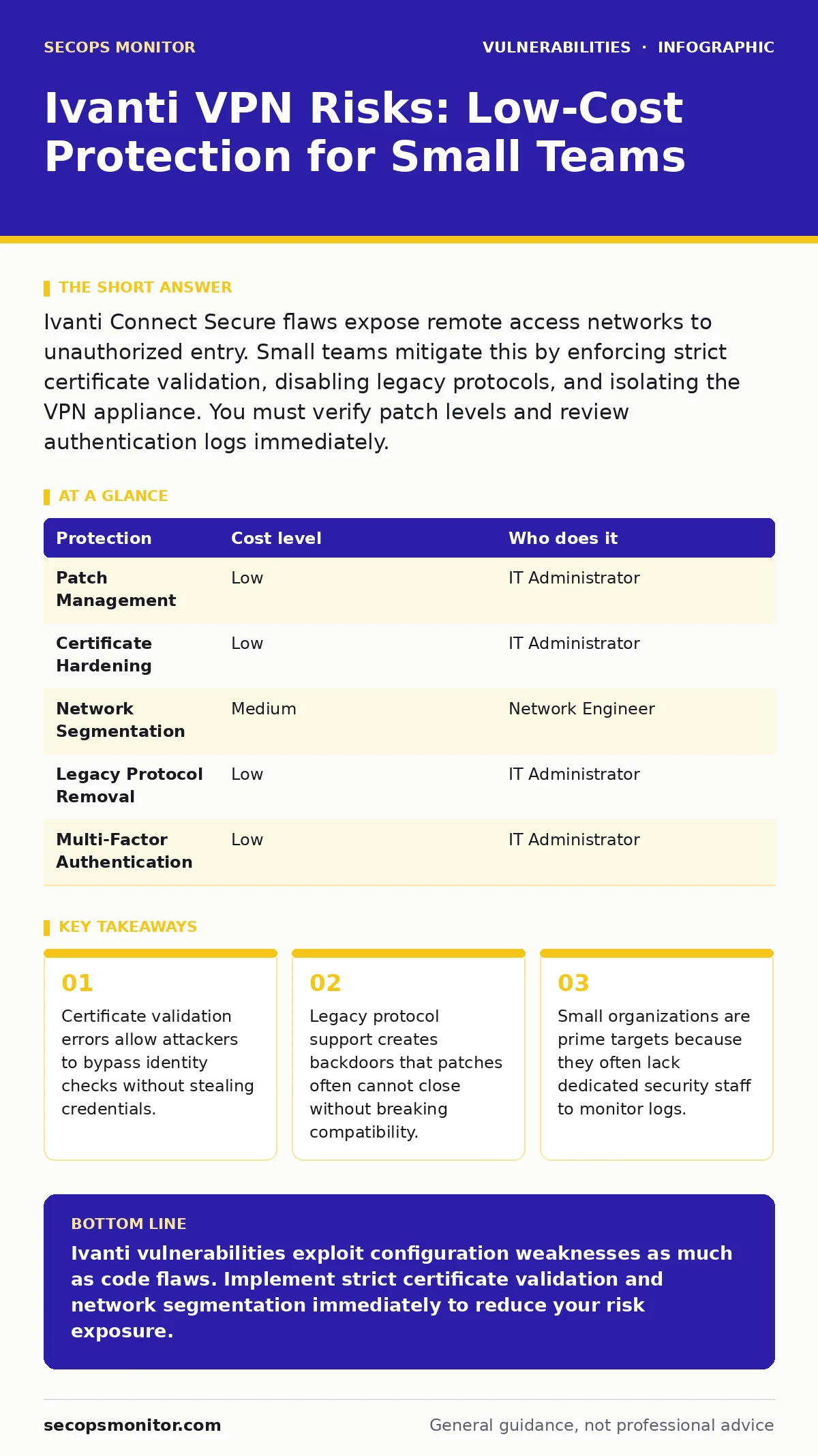
Ivanti Connect Secure flaws expose remote access networks to unauthorized entry. Small teams mitigate this by enforcing strict certificate validation, disabling legacy protocols, and isolating the VPN appliance. You must verify patch levels and review authentication logs immediately.
The Hidden Risk in Small Networks
Small organizations often believe their size protects them from sophisticated attacks. This assumption is dangerous. Attackers scan the internet for specific software fingerprints. When they find an Ivanti appliance, they attempt known exploitation techniques regardless of the target size. The risk comes from the software architecture, not the volume of traffic.
The Ivanti Connect Secure platform manages secure remote access. Recent disclosures revealed multiple security flaws. These flaws allow an attacker to bypass authentication or execute code on the device. The danger lies in the combination of these weaknesses. A single misconfiguration can turn the VPN gateway into a backdoor. You must treat the appliance as a high-value target.
Why Standard Patches Are Not Enough
Patching is the first line of defense, but it is not the only one. The underlying architecture of some Ivanti components contains inherent risks. Even after applying the latest vendor updates, residual vulnerabilities may remain. These often stem from how the software handles memory or processes certificates.
Memory safety is a critical concept. When software allocates and frees memory, errors can lead to buffer overflows. These overflows allow an attacker to overwrite data and inject malicious instructions. The Ivanti platform has historically used languages that do not prevent these errors at compile time. Switching to memory-safe programming languages eliminates this class of bug entirely. Until vendors adopt these standards, you must assume some risk remains.
The Certificate Validation Trap
One of the most significant issues involves certificate validation. A digital certificate proves the identity of a server. During the connection process, the client verifies this certificate. If the verification logic is flawed, an attacker can present a fake certificate. The client accepts it as valid.
This bypasses the need for stolen usernames or passwords. The attacker gains access because the system trusts the certificate chain. Small businesses often rely on default certificate settings. These defaults may accept self-signed certificates or ignore specific validation fields. You must disable these permissive settings. Enforce strict certificate pinning. This ensures the client only connects to the expected server identity.
Legacy Protocol Exposure
Older protocols often remain enabled for compatibility with legacy devices. These protocols, such as MS-CHAPv2, are considered insecure. They have known weaknesses that allow offline password cracking. Attackers capture the handshake traffic and crack the password later.
Disabling these protocols is a low-cost mitigation. It forces all connections to use modern, encrypted methods. However, this may break connectivity for older devices. You must audit your device fleet before disabling legacy support. Replace unsupported hardware or update its firmware. This reduces the attack surface significantly.
Network Segmentation as a Safety Net
If an attacker compromises the VPN appliance, they gain access to the network. Network segmentation limits this damage. By placing the VPN appliance in a separate security zone, you restrict lateral movement. The appliance can only communicate with specific servers. It cannot access the entire internal network.
This strategy assumes the perimeter is breached. It focuses on limiting the blast radius. Small businesses often connect the VPN directly to the main office network. This is a critical error. Create a dedicated VLAN for the VPN gateway. Use firewall rules to allow only necessary traffic. This containment measure buys time for detection and response.
See also: What Is Ransomware Protection: How to Stop Encryption Attacks
Protection Strategies and Costs
Implementing these defenses does not require a large budget. Many measures involve configuration changes rather than new purchases. The table below outlines the primary protections and their implementation requirements.
| Protection | Cost level | Who does it |
|---|---|---|
| Patch Management | Low | IT Administrator |
| Certificate Hardening | Low | IT Administrator |
| Network Segmentation | Medium | Network Engineer |
| Legacy Protocol Removal | Low | IT Administrator |
| Multi-Factor Authentication | Low | IT Administrator |
These steps address both known vulnerabilities and configuration weaknesses. They reduce the likelihood of successful exploitation. You should prioritize certificate hardening and patch management first. These provide the immediate highest return on investment.
Questions for Your IT Provider
If you outsource your IT management, you must verify their security posture. Vague assurances are insufficient. Ask specific technical questions to ensure they understand the Ivanti risks.
- How do you verify the integrity of certificate chains on the VPN appliance?
- What is your process for testing patches before applying them to production?
- How do you monitor for failed authentication attempts and certificate errors?
- Can you demonstrate the network segmentation rules around the VPN gateway?
- What is your policy for disabling legacy and insecure protocols?
These questions force a detailed discussion. They reveal whether the provider follows best practices or relies on defaults. You need a partner who understands the specific mechanics of VPN security.
Monitoring and Detection
Prevention is not perfect. You must assume that an attacker will attempt to breach your defenses. Monitoring provides visibility into these attempts. Log aggregation allows you to see patterns across multiple devices.
Look for unusual login times, geographic locations, or certificate errors. Set up alerts for failed authentication bursts. This indicates a brute-force or credential stuffing attack. Analyze traffic patterns for data exfiltration. Large outbound transfers from the VPN network may indicate compromise.
Addressing Related Security Gaps
VPN security does not exist in isolation. It interacts with other system components. Misconfigurations in web servers or application delivery controllers can expose the VPN interface. Review your security misconfigurations regularly. Ensure that administrative interfaces are not exposed to the public internet.
Additionally, consider the broader context of application security. Vulnerabilities in VPN gateways and application delivery controllers often share similar root causes. Understanding heap overflow vulnerabilities helps you appreciate why memory safety matters. While you cannot change the vendor's code, you can mitigate the impact through strict input validation and network controls.
The Path Forward
Securing your Ivanti deployment requires a layered approach. Patching addresses known code flaws. Configuration hardening closes logical gaps. Network segmentation limits damage. Monitoring detects breaches. Small businesses must adopt these practices to survive in a hostile environment. Do not rely on obscurity. Assume your IP address is scanned daily. Act accordingly.
Key takeaways
- Certificate validation errors allow attackers to bypass identity checks without stealing credentials.
- Legacy protocol support creates backdoors that patches often cannot close without breaking compatibility.
- Small organizations are prime targets because they often lack dedicated security staff to monitor logs.
Ivanti vulnerabilities exploit configuration weaknesses as much as code flaws. Implement strict certificate validation and network segmentation immediately to reduce your risk exposure.
Frequently asked questions
How do I know if my Ivanti device is vulnerable?
Check the firmware version against the vendor's advisory list. If it is older than the patched version, it is vulnerable. Also, review your configuration for disabled security features.
Can I use a firewall to stop these attacks?
A firewall can block known malicious IP addresses, but it cannot stop attacks from unknown sources. The vulnerabilities allow authenticated users to bypass controls, so network-level blocking is insufficient.
What is the risk of remote code execution?
Remote code execution allows an attacker to run arbitrary commands on the VPN appliance. This can lead to full network compromise, data theft, and installation of persistent backdoors.
How often should I review VPN configurations?
You should review configurations quarterly. Additionally, review them after any major software update or change in network topology. This ensures security controls remain effective.
How this guide was produced: written by the SecOps Monitor editorial team with AI assistance, checked against the public references listed below, and reviewed when the facts change. See our editorial policy or report an error.