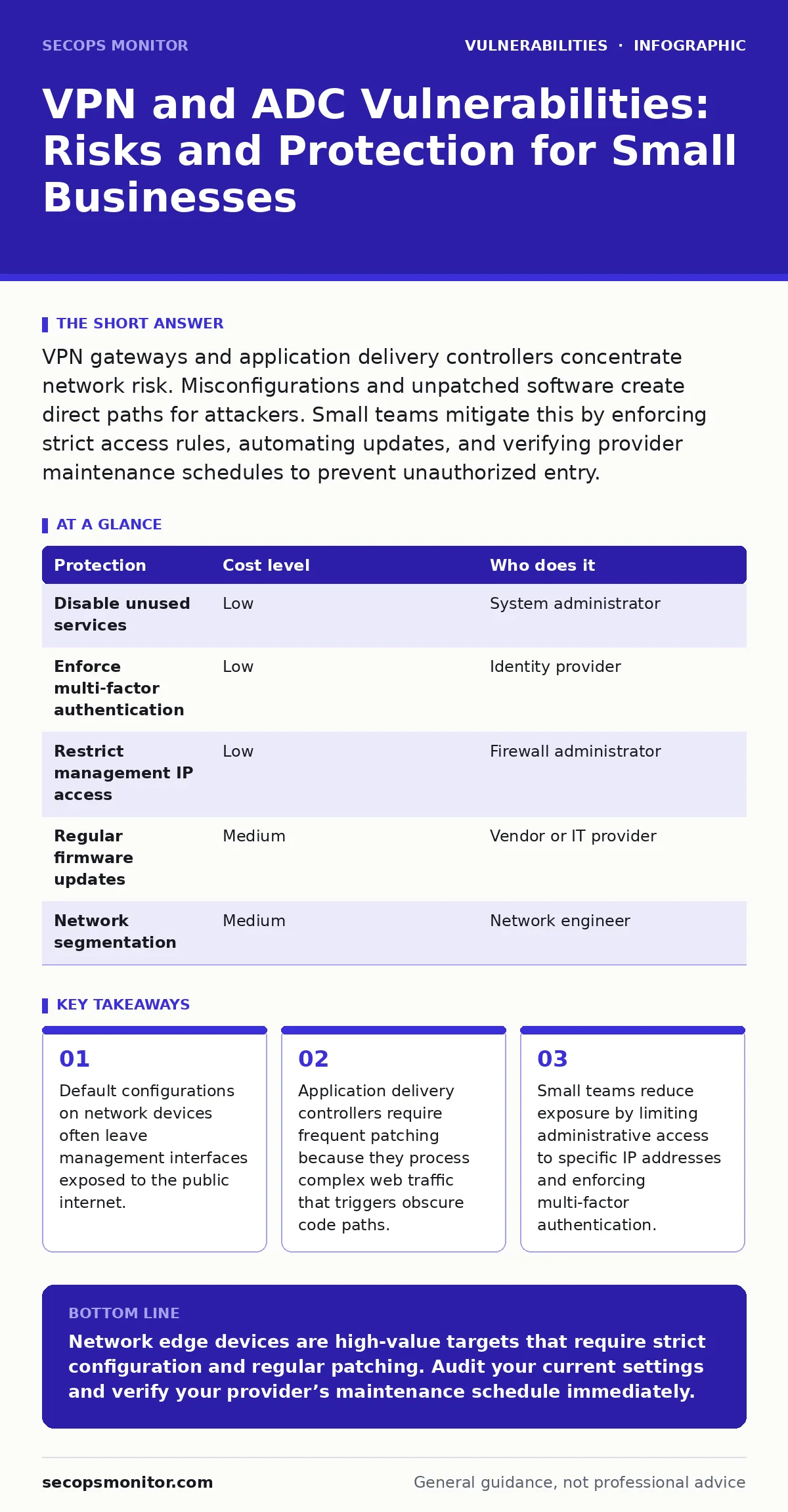
VPN gateways and application delivery controllers concentrate network risk. Misconfigurations and unpatched software create direct paths for attackers. Small teams mitigate this by enforcing strict access rules, automating updates, and verifying provider maintenance schedules to prevent unauthorized entry.
Why Edge Devices Concentrate Risk
Virtual private network gateways and application delivery controllers act as the front door to your internal network. A VPN gateway creates encrypted tunnels for remote users, allowing them to access internal resources as if they were on-site. An application delivery controller sits in front of web servers, managing traffic routing, encryption termination, and load balancing. Both devices process traffic from untrusted sources.
These devices hold high-value credentials and often have broad access to internal systems. A compromise here bypasses perimeter defenses. Attackers target these entry points because a single vulnerability can grant access to the entire network segment. The attack surface is large because these devices must support many protocols and features to be useful.
Small organizations are exposed because they lack dedicated security staff to monitor these complex systems. They often rely on default settings provided by the vendor. Default settings prioritize ease of use over security. This creates a hidden cost where convenience undermines protection. The device works, but it exposes more than necessary.
The Hidden Cost of Default Configurations
Default configurations on network devices often enable services that are not required for daily operations. Management interfaces may be accessible from any IP address. Debug ports might be open for troubleshooting but remain active in production. These open doors allow attackers to probe the device for known vulnerabilities.
Security misconfigurations are a primary cause of breaches in small environments. A misconfigured application delivery controller might leak internal server IP addresses or version information. This information helps attackers select specific exploits. The device becomes a beacon for automated scanning tools that look for these exact signatures.
You must audit every service running on these devices. Disable any feature you do not actively use. If the device does not need to serve web content, turn off the web server component. If remote management is not required from the internet, block those ports at the firewall level. Reducing the active surface area reduces the chance of exploitation.
Patching Challenges for Network Appliances
Patching network devices is different from patching standard servers. These devices run specialized firmware that controls hardware functions. A bad update can brick the device, cutting off all remote access. This risk makes administrators hesitant to apply patches quickly. Attackers exploit this hesitation by targeting known flaws while organizations deliberate.
The delay between a vulnerability disclosure and a patch application is the danger window. During this time, the device is vulnerable to exploitation. You must have a testing strategy that allows you to verify updates without disrupting business operations. A staging environment helps you test firmware changes before applying them to production.
Dependency updates in the software stack can also introduce new risks. The device firmware may include third-party libraries that have their own vulnerabilities. Keeping track of these dependencies is difficult. You rely on the vendor to monitor and patch these underlying components. If the vendor is slow, your exposure increases.
Low-Cost Protections for Limited Teams
You do not need a large budget to improve security posture. Basic controls can significantly reduce the risk of compromise. The following table outlines effective measures that balance cost and effort.
| Protection | Cost level | Who does it |
|---|---|---|
| Disable unused services | Low | System administrator |
| Enforce multi-factor authentication | Low | Identity provider |
| Restrict management IP access | Low | Firewall administrator |
| Regular firmware updates | Medium | Vendor or IT provider |
| Network segmentation | Medium | Network engineer |
Multi-factor authentication adds a layer of defense even if passwords are stolen. It prevents attackers from logging in with compromised credentials. Restricting management access to specific IP addresses ensures that only trusted locations can configure the device. This blocks casual scanning and brute-force attempts from the general internet.
Network segmentation limits the damage if a device is compromised. If the VPN gateway is breached, segmentation prevents the attacker from moving laterally to sensitive databases. You create separate zones for different types of traffic. This containment strategy buys time for detection and response.
What to Ask an IT Provider
If you outsource your IT management, you must verify their security practices. The provider holds the keys to your infrastructure. You need assurance that they follow rigorous maintenance procedures. Ask these questions to evaluate their capability:
- How quickly do you apply critical security patches to network devices?
- Do you test firmware updates in a staging environment before production deployment?
- What is your process for detecting unauthorized changes to device configurations?
- How do you monitor for unusual traffic patterns on VPN and ADC systems?
- What is your backup and recovery plan if a device becomes unresponsive after an update?
These questions reveal whether the provider treats security as an afterthought or a priority. A vague answer indicates a lack of structured processes. You want a provider who can demonstrate a clear workflow for maintenance and incident response. Their ability to explain their process is as important as the process itself.
Advanced Monitoring and Validation
Basic controls are necessary but not sufficient. You need visibility into what is happening on these devices. Dynamic application security testing (DAST) tools can scan the application delivery controller for web vulnerabilities. These tools simulate attacks to find flaws in how the device handles traffic.
Memory-safe programming languages reduce the risk of certain types of vulnerabilities in the device firmware. If your vendor uses languages like Rust or Go, the likelihood of buffer overflow exploits decreases. You should inquire about the development practices of your hardware vendors. This information helps you assess the inherent security of the product.
Vulnerability severity ratings help you prioritize which patches to apply first. Not all flaws are equal. Some allow remote code execution, while others only cause minor disruptions. Understanding the severity helps you allocate resources effectively. Focus on high-severity issues that pose an immediate threat to your operations.
Building a Resilient Defense Posture
Security is an ongoing process, not a one-time fix. You must continuously review and adjust your controls. Threats evolve, and new vulnerabilities emerge. Regular audits help you identify gaps in your defense. You should also review access logs to detect suspicious activity.
Mass assignment vulnerabilities can occur in the management interfaces of these devices. If the interface allows users to set parameters they should not control, attackers can escalate privileges. Validate all input on management portals. Ensure that the device enforces strict role-based access controls.
The OWASP Top 10 provides a framework for understanding common web application risks. Since application delivery controllers handle web traffic, many of these risks apply. Understanding this list helps you configure your devices more securely. It highlights areas like injection and broken access control that require specific attention.
Key takeaways
- Default configurations on network devices often leave management interfaces exposed to the public internet.
- Application delivery controllers require frequent patching because they process complex web traffic that triggers obscure code paths.
- Small teams reduce exposure by limiting administrative access to specific IP addresses and enforcing multi-factor authentication.
Network edge devices are high-value targets that require strict configuration and regular patching. Audit your current settings and verify your provider’s maintenance schedule immediately.
Frequently asked questions
How often should I update my VPN gateway firmware?
Apply critical security patches as soon as they are available after testing. Regular updates should be part of a scheduled maintenance window to ensure stability and security.
Can I use a free VPN service for my small business?
Free services often lack strong security controls and may log your traffic. Use a reputable commercial solution or a self-hosted open-source option that you can configure and monitor yourself.
What is the biggest risk with application delivery controllers?
The biggest risk is misconfiguration that exposes internal
How this guide was produced: written by the SecOps Monitor editorial team with AI assistance, checked against the public references listed below, and reviewed when the facts change. See our editorial policy or report an error.