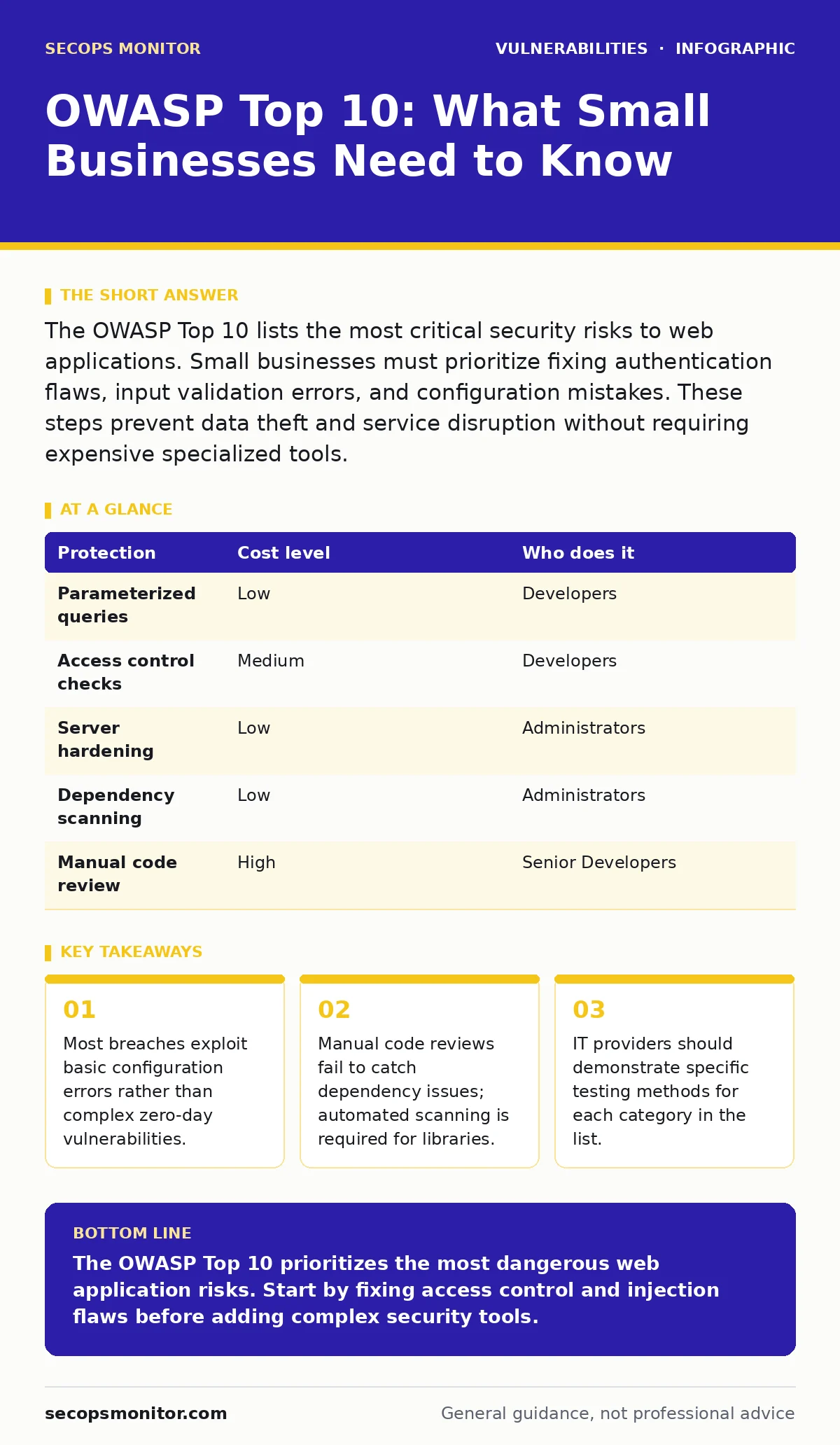
The OWASP Top 10 lists the most critical security risks to web applications. Small businesses must prioritize fixing authentication flaws, input validation errors, and configuration mistakes. These steps prevent data theft and service disruption without requiring expensive specialized tools.
Why the List Matters for Small Teams
The OWASP Top 10 is a standard awareness document for web application security. It identifies the most critical security risks to web applications. Small organizations often assume they are too small to be targeted. This assumption is dangerous. Attackers use automated tools to scan the entire internet for known vulnerabilities. Your website is just one of thousands checked in a single second.
You do not need a large security team to address these risks. You need to understand that the list is not a checklist of features to buy. It is a list of failure patterns to avoid. The list changes over time as attack methods evolve. The core concepts remain stable. Broken access control, cryptography failures, and injection flaws have appeared in every version of the list.
Small teams have limited resources. You cannot fix every potential issue. Prioritization is the primary benefit of this framework. It tells you where to look first. Fixing the top three items on the list reduces the majority of your attack surface. Ignoring the bottom items is often a rational trade-off for small budgets.
The Hidden Cost of Standard Advice
Standard advice tells you to patch everything immediately. This approach is unsustainable for small teams. Constant patching disrupts business operations. It requires downtime and testing. A better approach is to understand the mechanism of the vulnerability. If you understand how an injection flaw works, you can write code that prevents it by design.
Many teams focus on perimeter defenses. They buy firewalls and intrusion detection systems. These tools do not stop application-layer attacks. The OWASP Top 10 focuses on the application itself. The application is the last line of defense. If the application accepts malicious input, no firewall can stop the resulting damage.
Another hidden cost is the illusion of security provided by generic scanners. Automated tools can find known signatures. They cannot find logical flaws in your business logic. A scanner might say your site is secure. A human attacker can still exploit a race condition in your checkout process. You must combine automated scanning with manual review.
Breaking Down the Critical Categories
The list groups risks into categories. Broken access control is often the top risk. This occurs when users can act outside their intended permissions. A regular user might access an admin panel. You must enforce strict authorization checks on every request. Do not rely on hiding links or buttons.
Injection flaws allow attackers to send malicious commands to your backend interpreter. SQL injection is the most common example. An attacker inserts code into a search box. The database executes the code. You prevent this by using parameterized queries. This technique separates data from code.
Security misconfigurations are easy to fix but often ignored. Default passwords, unnecessary features, and verbose error messages help attackers. You must harden your environment. Remove default accounts. Disable unused features. Configure your server to reveal minimal information in error messages.
| Protection | Cost level | Who does it |
|---|---|---|
| Parameterized queries | Low | Developers |
| Access control checks | Medium | Developers |
| Server hardening | Low | Administrators |
| Dependency scanning | Low | Administrators |
| Manual code review | High | Senior Developers |
Practical Steps for Implementation
You must integrate security into your development lifecycle. Start with threat modeling. This process identifies potential threats before you write code. It helps you understand what data you are protecting and who might want it. You do not need a formal workshop. A simple conversation with your developer and business owner is enough.
Update your dependencies regularly. Modern applications rely on many third-party libraries. These libraries often contain vulnerabilities. Use a tool to scan your dependencies for known issues. See our guide on dependency updates for specific tools and workflows. Do not ignore updates for libraries that are not directly visible to users. They are part of your attack surface.
Test your application before deployment. Use dynamic application security testing (DAST) to simulate attacks against your running application. This finds configuration errors and runtime vulnerabilities. Combine this with static analysis during coding. This catches issues early when they are cheaper to fix.
What to Ask Your IT Provider
If you outsource your development or hosting, you must verify their security practices. Do not accept vague promises. Ask specific questions about each category in the OWASP Top 10.
- How do you enforce access control in your applications?
- What process do you use to update third-party libraries?
- Do you perform dynamic application security testing before release?
- How do you handle emergency patching for critical vulnerabilities?
- What is your policy for end-of-life software?
Review their answers carefully. If they cannot explain how they prevent injection flaws, they are not qualified. If they rely solely on manual testing, they will miss issues. You need a mix of automated and manual checks. Ensure they provide evidence of these tests.
Common Mistakes to Avoid
Many teams treat the OWASP Top 10 as a one-time audit. They scan once, fix the issues, and move on. Security is continuous. New vulnerabilities are discovered daily. New code is written daily. You must maintain a continuous monitoring process.
Another mistake is ignoring mass assignment vulnerabilities. This occurs when an API accepts more data than intended. An attacker might change their role from "user" to "admin" by adding a field to the request. You must explicitly define which fields can be modified. Do not accept all input fields by default.
Finally, do not neglect security misconfigurations. This is one of the easiest areas to fix. See our guide on security misconfigurations for a checklist of common errors. Check your server headers, database permissions, and file permissions regularly. These small fixes have a large impact on your overall security posture.
The Role of Patching and Updates
Patching is not just about operating systems. It is about every component in your stack. See our guide on Patch Tuesday for details on Windows updates. Linux systems and application frameworks also require regular updates. Delaying updates increases your risk window.
You must have a plan for emergency patching. Critical vulnerabilities require immediate action. You cannot wait for the next scheduled maintenance window. Test patches in a staging environment first. This prevents breaking your application. Deploy quickly to production.
Key takeaways
- Most breaches exploit basic configuration errors rather than complex zero-day vulnerabilities.
- Manual code reviews fail to catch dependency issues; automated scanning is required for libraries.
- IT providers should demonstrate specific testing methods for each category in the list.
The OWASP Top 10 prioritizes the most dangerous web application risks. Start by fixing access control and injection flaws before adding complex security tools.
Frequently asked questions
Do I need to fix all 10 items on the list?
No. Focus on the top three risks first. They provide the most significant reduction in risk for the least effort.
Can automated scanners find all OWASP Top 10 issues?
No. Scanners find known signatures and simple logic errors. They miss complex business logic flaws and some configuration issues.
How often should I review my security posture?
Review your posture every time you release new code. Perform a full audit at least once a year.
Is the OWASP Top 10 relevant for mobile apps?
Yes. Many of the same risks apply to mobile applications, especially regarding data storage and API security.
How this guide was produced: written by the SecOps Monitor editorial team with AI assistance, checked against the public references listed below, and reviewed when the facts change. See our editorial policy or report an error.