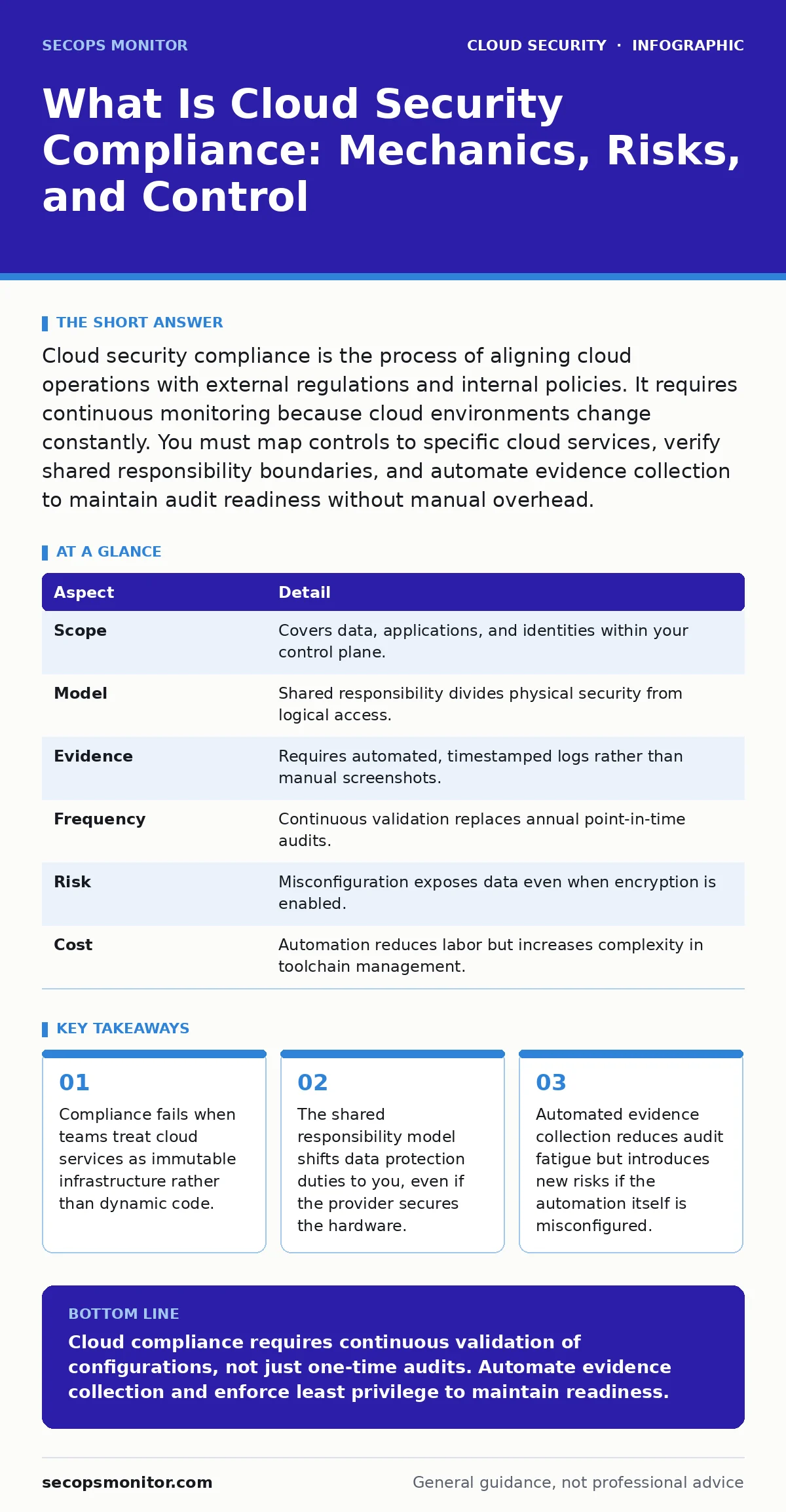
Cloud security compliance is the process of aligning cloud operations with external regulations and internal policies. It requires continuous monitoring because cloud environments change constantly. You must map controls to specific cloud services, verify shared responsibility boundaries, and automate evidence collection to maintain audit readiness without manual overhead.
The Shared Responsibility Analogy
Imagine renting a secure apartment building. The landlord locks the front door, installs fire alarms, and maintains the electrical grid. You control your apartment’s interior locks, who you invite inside, and whether you leave windows open. Cloud security compliance operates on this same split. The provider secures the cloud infrastructure. You secure what you put in the cloud.
Most breaches occur not because the landlord failed, but because tenants left doors unlocked. Compliance frameworks demand you prove you manage your side of the split. This proof must be continuous. Static snapshots expire the moment you deploy a new container or change a permission.
At a Glance: Compliance Mechanics
| Aspect | Detail |
|---|---|
| Scope | Covers data, applications, and identities within your control plane. |
| Model | Shared responsibility divides physical security from logical access. |
| Evidence | Requires automated, timestamped logs rather than manual screenshots. |
| Frequency | Continuous validation replaces annual point-in-time audits. |
| Risk | Misconfiguration exposes data even when encryption is enabled. |
| Cost | Automation reduces labor but increases complexity in toolchain management. |
What Is Cloud Security Compliance
What is cloud security compliance? It is the systematic alignment of your cloud operations with regulatory requirements and organizational policies. Unlike on-premises compliance, which relies on physical boundaries, cloud compliance relies on configuration states. A misconfigured storage bucket violates compliance just as surely as a broken lock.
You must define which data resides where. You must ensure that access controls restrict visibility to authorized personnel only. You must verify that encryption protects data at rest and in transit. Compliance is not a one-time project. It is a continuous state of validation against a defined set of controls.
The Hidden Cost of Automation
Automation enables scale, but it also amplifies error. When you automate the deployment of compliant infrastructure, you embed compliance into code. This is efficient until the code contains a subtle flaw. A single misconfigured role can grant excessive permissions to hundreds of resources instantly.
Consider the risk of overprivileged cloud identities. If your automation templates default to broad permissions for ease of use, you create a large attack surface. Compliance scanners may miss these logical flaws if they only check for missing encryption or unattached logging. You must validate the principle of least privilege within your automation pipelines.
Who It Affects and Why
Cloud compliance affects every organization storing regulated data or processing sensitive transactions. This includes healthcare providers, financial institutions, and government agencies. It also affects smaller businesses that process payment information or personal data. Regulations like GDPR, HIPAA, and PCI DSS apply regardless of company size.
The impact extends beyond legal penalties. Non-compliance erodes customer trust. It disrupts business continuity during audits. It exposes you to liability when third-party vendors fail to meet their obligations. You must assess your supply chain. If a vendor handles your data, their compliance posture affects your own.
Review your cloud incident response plans to ensure they address compliance notification requirements. Many frameworks mandate specific timelines for reporting breaches. Delays in detection or notification can compound legal and reputational damage.
See also: How Confidential Computing Works: Protecting Data in Use · Cloud Incident Response: 7 Mistakes That Escalate Breaches
Common Misconceptions in Cloud Audits
Many teams believe that encryption equals compliance. This is false. Encrypting data protects confidentiality, but it does not ensure availability, integrity, or proper access control. You can have encrypted data stored in a publicly accessible bucket. This violates most compliance frameworks.
Another common error is assuming the provider handles all security. The provider secures the physical hardware and the hypervisor. You secure the operating system, the applications, and the data. Misunderstanding this boundary leads to gaps in monitoring and logging. You must configure your own logging tools to capture API activity and user actions.
Implementing Continuous Compliance
Start by mapping your regulatory requirements to specific cloud controls. Identify which services handle sensitive data. Define the required configuration states for those services. Use infrastructure as code to enforce these states. This ensures that every deployment meets compliance criteria before it goes live.
Implement continuous monitoring tools that scan for drift. Drift occurs when manual changes or automated processes alter configurations away from the baseline. These tools should alert you immediately when a resource becomes non-compliant. Integrate these alerts into your incident management workflow.
Consider confidential computing for highly sensitive workloads. This technology encrypts data while it is being processed in memory. It adds a layer of protection that traditional compliance models often overlook. This is particularly useful for multi-tenant environments where isolation is critical.
Managing Identity and Access
Identity is the new perimeter. In cloud environments, identities include humans, service accounts, and applications. You must manage permissions for all of them. Regularly review access rights. Remove permissions that are no longer needed.
Use role-based access control to limit privileges. Ensure that Kubernetes RBAC policies align with your broader security strategy if you use container orchestration. Misconfigured roles in Kubernetes can lead to cluster-wide compromise. Validate that your Kubernetes security basics are sound before deploying critical workloads.
Monitor for unusual activity. Look for logins from unexpected locations or times. Detect privilege escalation attempts. Integrate identity logs with your security information and event management system. This provides a unified view of access patterns across your cloud estate.
Validating Your Posture
Regular testing validates your compliance posture. Conduct penetration tests and vulnerability scans. Review your configurations against industry benchmarks. Engage third-party auditors to verify your controls. Their independent perspective helps identify blind spots.
Document your processes. Maintain clear records of how you manage data, access, and incidents. This documentation supports your audit efforts. It also helps new team members understand security requirements. Keep your documentation up to date. Outdated procedures create confusion and risk.
Review your service account security practices. Service accounts often have long-lived credentials. Rotate these credentials regularly. Use short-lived tokens where possible. This reduces the impact of credential theft.
Integrating Related Security Practices
Compliance does not exist in isolation. It intersects with other security domains. For example, SaaS account takeover risks can compromise your compliance if attackers access sensitive data through compromised user accounts. Implement multi-factor authentication and session management controls.
Ensure your cloud incident response plan includes compliance-specific steps. Define who notifies regulators and when. Practice these procedures regularly. Drills reveal gaps in communication and decision-making.
Stay informed about changes in regulations and cloud services. Providers update their offerings frequently. New features may introduce new risks or compliance requirements. Subscribe to security advisories. Participate in industry forums. Share knowledge with your peers.
Key takeaways
- Compliance fails when teams treat cloud services as immutable infrastructure rather than dynamic code.
- The shared responsibility model shifts data protection duties to you, even if the provider secures the hardware.
- Automated evidence collection reduces audit fatigue but introduces new risks if the automation itself is misconfigured.
Cloud compliance requires continuous validation of configurations, not just one-time audits. Automate evidence collection and enforce least privilege to maintain readiness.
Frequently asked questions
Does cloud compliance replace on-premises security controls?
No. Cloud compliance complements existing controls by adapting them to dynamic environments. You must maintain security hygiene in both cloud and on-premises systems.
How often should I review my compliance posture?
You should review your posture continuously. Automated tools can provide real-time feedback. Manual reviews should occur at least quarterly or after significant changes.
Who is responsible for cloud compliance violations?
Responsibility depends on the shared responsibility model. You are responsible for data, applications, and configurations. The provider is responsible for infrastructure security.
Can automation eliminate compliance risks?
Automation reduces manual errors and speeds up detection. It cannot eliminate risks if the underlying configurations or policies are flawed. You must validate the automation logic itself.
How this guide was produced: written by the SecOps Monitor editorial team with AI assistance, checked against the public references listed below, and reviewed when the facts change. See our editorial policy or report an error.