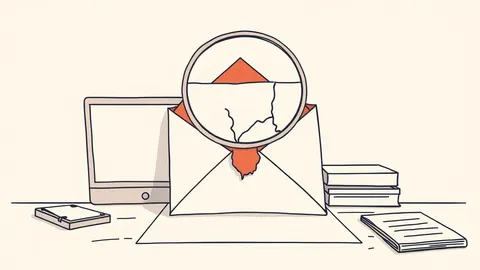
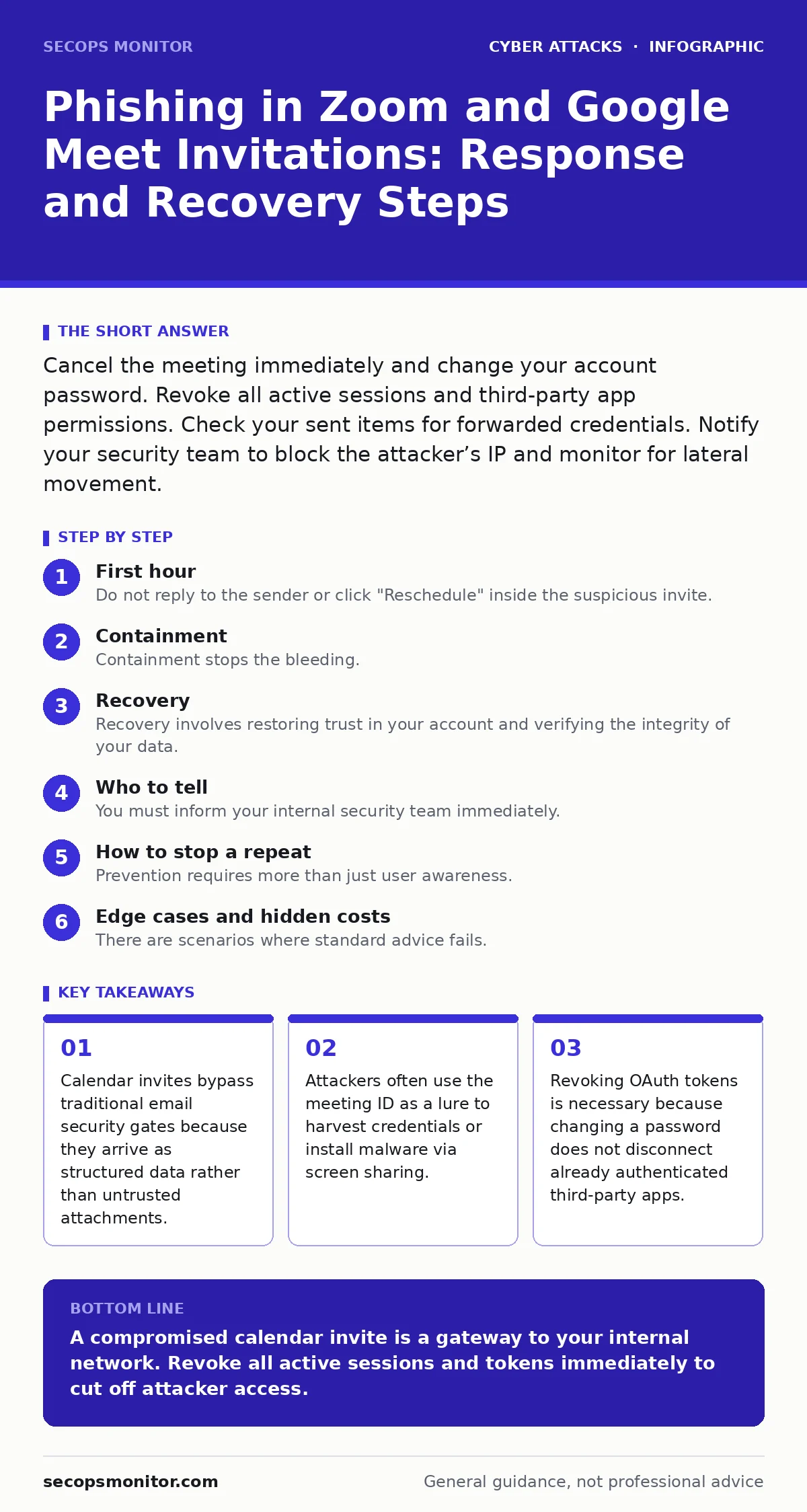
Cancel the meeting immediately and change your account password. Revoke all active sessions and third-party app permissions. Check your sent items for forwarded credentials. Notify your security team to block the attacker’s IP and monitor for lateral movement.
First hour
The first hour determines whether the breach remains contained or spreads. You must assume the attacker has already viewed any attachments or links embedded in the invitation. The initial step is to isolate the compromised account. Log in to your identity provider and force a logout of all active sessions. This kicks the attacker off their device without requiring a password change yet.
- Cancel the specific meeting instance immediately.
- Block the sender’s email address at the gateway level.
- Take a screenshot of the invitation details for forensic analysis.
You must verify if the invitation contained a malicious link. Phishing in Zoom and Google Meet invitations often masquerades as legitimate pre-meeting surveys or document requests. These links lead to credential harvesting pages that mimic the official login screens. If you clicked the link, assume your credentials are compromised. If you did not click, the risk is lower but the sender’s account may still be compromised.
Containment
Containment stops the bleeding. You need to cut off the attacker’s access to your calendar and communication tools. Changing your password is the standard response, but it is insufficient on its own. Modern applications use OAuth tokens that remain valid even after a password change. You must revoke these tokens manually.
Navigate to the security settings of your email and calendar provider. Look for a section labeled "Third-party access" or "Connected apps." Revoke access for any application you do not recognize or no longer use. This includes any Zoom or Google Meet integrations that you did not explicitly install. This step breaks the persistent session the attacker established.
Check your sent items folder. Attackers often use compromised accounts to send phishing emails to your colleagues. They use your trusted identity to bypass suspicion. If you find suspicious outbound emails, notify your recipients immediately. Tell them to delete the message and not to open any attachments. This prevents the attack from cascading through your organization.
Recovery
Recovery involves restoring trust in your account and verifying the integrity of your data. After revoking tokens and changing passwords, enable multi-factor authentication if it is not already active. Use an authenticator app or hardware key, not SMS. SMS is vulnerable to SIM swapping, which allows attackers to intercept your verification codes.
Review your calendar for any new events created by the attacker. They may have scheduled follow-up meetings to maintain contact with victims. Delete these events and check the "Trash" or "Deleted Items" folder for hidden entries. Attackers sometimes hide malicious invites in deleted folders to avoid detection.
Verify the integrity of your shared documents. If the phishing invite included a link to a shared drive, check the sharing permissions. Attackers may have added themselves as editors to sensitive files. Remove any unknown users from the sharing list. This prevents data exfiltration through file downloads.
Who to tell
You must inform your internal security team immediately. Provide them with the screenshots and the timeline of events. They need this information to update their detection rules. If your organization uses intrusion detection systems, the security team can configure them to alert on similar patterns in the future.
If the attack involved financial requests or impersonation of leadership, it may qualify as CEO fraud. This type of social engineering relies on urgency and authority to bypass normal verification procedures. Report this to your finance department and legal counsel. They can take steps to prevent unauthorized transfers and document the incident for potential insurance claims.
Do not ignore the incident because no data was stolen. The attempt itself is a security event. It indicates that your organization is being targeted. Reporting it helps build a broader picture of the threat environment. It allows the security team to adjust defenses and educate other users.
How to stop a repeat
Prevention requires more than just user awareness. You need technical controls that reduce the attack surface. Implement DMARC, DKIM, and SPF records for your domain. These protocols verify that emails claiming to come from your domain are actually sent by you. This prevents attackers from spoofing your address in future phishing attempts.
Train users to verify meeting requests through a secondary channel. If you receive an unexpected invite, call the organizer using a known phone number. Do not use the contact details provided in the invitation. This simple step breaks the chain of adversary-in-the-middle phishing attacks. It ensures that the person requesting the meeting is who they claim to be.
Review your calendar sharing settings. Limit who can view your free/busy status. Attackers use this information to schedule attacks when you are most likely to be distracted or offline. Restricting this data reduces the value of the information they can gather. It makes it harder for them to time their attacks effectively.
See also: Heap Overflow Response: Containment, Recovery, and Prevention Steps · Breach Dwell Time Explained: How Long Attackers Hide in Your Network
Edge cases and hidden costs
There are scenarios where standard advice fails. Suppose an attacker compromises a shared service account. Revoking tokens for individual users will not stop the attack. You must rotate the credentials for the service account itself. This is often overlooked because service accounts are treated as static infrastructure. They are not. They are prime targets for lateral movement.
Another hidden cost is the loss of trust in calendar tools. Users may start ignoring legitimate meeting requests to avoid risk. This reduces productivity and creates communication silos. You must balance security with usability. Provide clear guidelines on how to verify requests without causing alarm. This maintains workflow efficiency while reducing risk.
Be aware of botnet attacks that use compromised accounts to send spam. If your account was part of a botnet, your IP address may be blacklisted. This affects your ability to send legitimate emails. You must work with your IT provider to clean the account and request removal from blacklists. This process can take time and requires thorough verification.
Long-term resilience
Building long-term resilience requires a shift in mindset. Security is not a one-time fix. It is a continuous process of adaptation. You must regularly review your access controls and update your security policies. This includes reviewing who has access to your calendar and what permissions they hold.
Integrate security into your daily workflow. Make verification a habit. Check the sender’s address carefully. Look for slight misspellings or unusual domain names. These are common indicators of phishing. Train users to spot these subtle cues. This creates a culture of security where everyone is vigilant.
Finally, stay informed about new threats. The tactics used in phishing attacks evolve constantly. New techniques emerge regularly. You must keep up with these changes to protect your organization. Subscribe to security newsletters and participate in industry forums. This keeps you ahead of the curve.
Key takeaways
- Calendar invites bypass traditional email security gates because they arrive as structured data rather than untrusted attachments.
- Attackers often use the meeting ID as a lure to harvest credentials or install malware via screen sharing.
- Revoking OAuth tokens is necessary because changing a password does not disconnect already authenticated third-party apps.
A compromised calendar invite is a gateway to your internal network. Revoke all active sessions and tokens immediately to cut off attacker access.
Frequently asked questions
Can an attacker join my meeting if I cancel the invite?
No, canceling the meeting invalidates the join link and prevents unauthorized entry. The attacker loses access to the virtual room immediately.
Do I need to change my password if I didn't click the link?
Yes, if the sender’s account is compromised, they may have access to your contact list and other metadata. Changing your password adds a layer of protection against credential stuffing.
How do I know if my calendar is shared with an attacker?
Check your calendar sharing settings for any unknown users or public links. Remove any permissions that you did not explicitly grant.
Should I block all external meeting invites?
No, this disrupts business operations. Instead, configure your gateway to flag external invites and require user verification before accepting them.
How this guide was produced: written by the SecOps Monitor editorial team with AI assistance, checked against the public references listed below, and reviewed when the facts change. See our editorial policy or report an error.